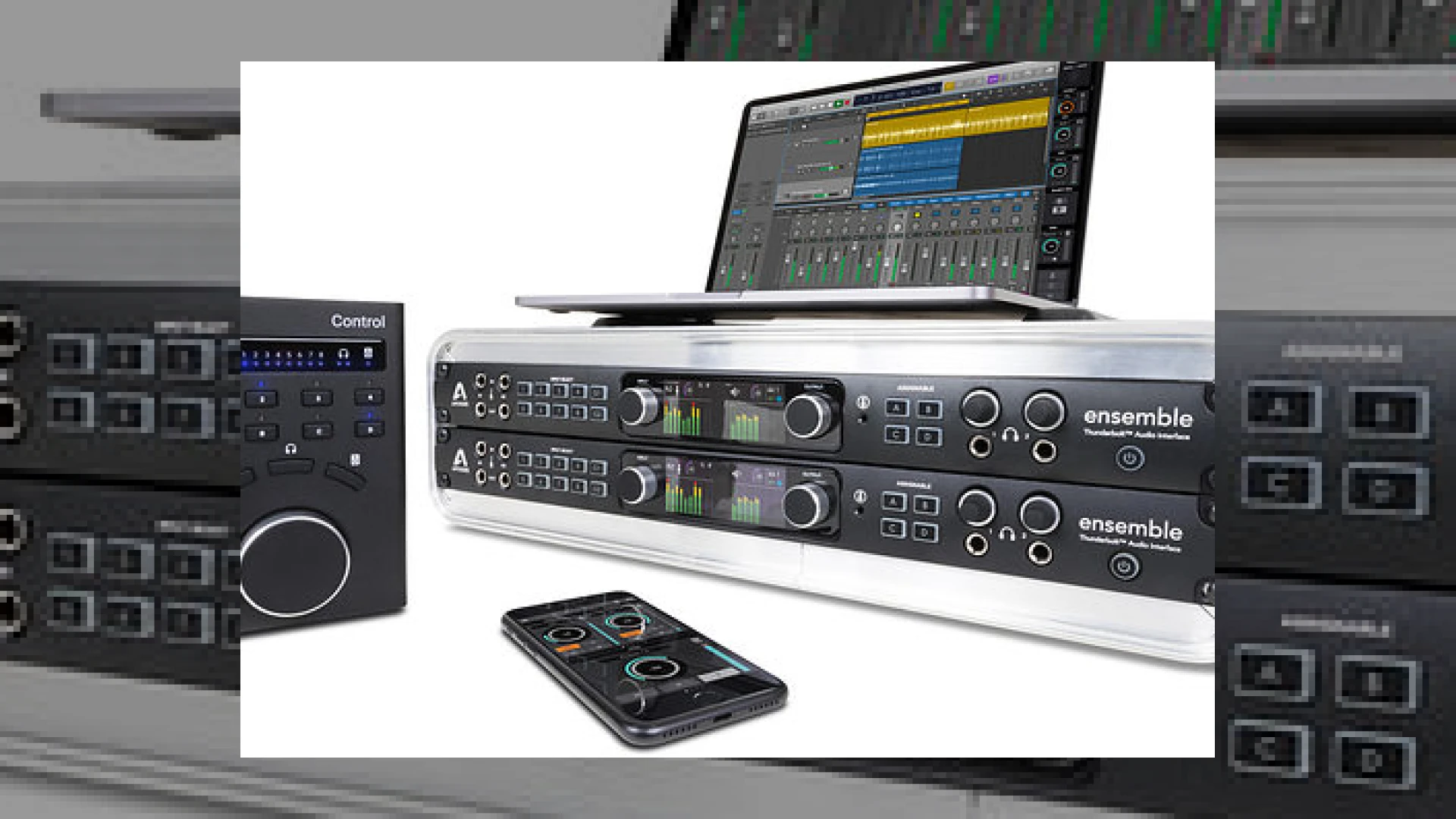
Visual context for Apogee Thunderbolt interfaces integrate better with Logic.
As professional audio mastering and recording engineers, our quest for zero-latency monitoring has historically required complex routing setups and cumbersome third-party software. For years, DAW users accepted that pulling up a separate control panel to adjust monitor mixes was an unavoidable annoyance in the modern digital studio. However, the deep ecosystem integration between Apple and Apogee has shattered this barrier. Apogee’s software updates for their Element and Ensemble series allow for direct control of hardware features directly inside the DAW, which explains why apogee thunderbolt interfaces integrate better with logic compared to almost any other hardware solution on the market.
By installing the Apogee Control Software update (version 2.0 or higher) alongside a compatible version of Logic Pro, engineers can access direct hardware monitoring directly from the active channel strip in the Logic mixer. This eliminates the dreaded audio delay during tracking without forcing the performer or engineer to leave their primary workspace. For more deep dives into professional audio setups, hardware configurations, and master-bus techniques, feel free to explore our SM Mastering Audio Articles.
How Apogee Thunderbolt Interfaces Integrate Better with Logic
The secret behind this seamless connection lies in the unified communication protocol built into macOS and Logic Pro. When we analyze why apogee thunderbolt interfaces integrate better with logic, the replacement of the legacy Maestro 2 software with the modernized Apogee Control engine stands out as a massive leap forward. Instead of juggling multiple windows, your interface’s internal DSP and preamp gains are controlled natively inside Logic.
This tight integration mimics the native DSP workflow of proprietary systems like those from Universal Audio, but does so natively within the Logic Pro channel strip itself. When you activate direct monitoring in Logic, the interface automatically routes the incoming analog signal straight to your monitors or headphones, bypassing the DAW’s software buffer completely while still maintaining full control of your plugin chains and fader positions.
Technical Specifications: Supported Apogee Thunderbolt Interfaces
| Interface Name | Primary Use | Estimated Price Range | Professional Rating |
|---|---|---|---|
| Apogee Ensemble Thunderbolt | Multi-I/O Flagship Recording and Mastering | $2,499 | 4.9 / 5.0 |
| Apogee Element 88 | High-End Multi-Mic Project Studio | $1,499 | 4.7 / 5.0 |
| Apogee Element 46 | Mid-Tier Portable Recording Setup | $899 | 4.6 / 5.0 |
| Apogee Element 24 | Compact Desktop Tracking & Reference Listening | $599 | 4.5 / 5.0 |
Practical Studio Workflow Tips for Apogee and Logic Users
- Dual-Unit Cascading: You can expand your analog I/O easily by connecting two Ensemble Thunderbolt interfaces, or combining an Ensemble with an Element interface over Thunderbolt. This doubles your available preamps and analog outputs while maintaining a unified low-latency driver inside macOS.
- Utilize the Hardware Remote: Pair your Thunderbolt setup with the physical Apogee Control hardware remote. It features customizable buttons that let you quickly toggle talkback, clear meters, or switch monitoring sources without touching your mouse.
- iOS Integration: Take advantage of the Apogee Control iOS app. If you are recording yourself from across the room or in a dedicated vocal booth, you can control your preamp levels and monitor mixes directly from your iPad or iPhone.
By setting these configurations up, engineers can see firsthand how apogee thunderbolt interfaces integrate better with logic in high-pressure sessions, ensuring client comfort and faster tracking times.
Conclusion
The integration between Apogee Thunderbolt hardware and Apple’s flagship DAW represents a massive win for studio efficiency. By removing the secondary mixer GUI from the recording pipeline, Apogee has bridged the gap between analog-style immediacy and digital flexibility. This synergy demonstrates why apogee thunderbolt interfaces integrate better with logic, delivering a streamlined, latency-free recording environment that keeps the focus entirely on the performance.
Frequently Asked Questions (FAQ)
Does direct hardware monitoring in Logic Pro completely eliminate latency?
Yes. By routing the input signal directly to the outputs within the hardware’s internal DSP, you completely bypass the computer’s CPU buffer. This native functionality is a prime example of how apogee thunderbolt interfaces integrate better with logic, allowing the performer to hear themselves instantly without any audible delay.
Can I use the Apogee Control Software with older firewire interfaces?
No, the advanced integration, dual-unit cascading, and Logic Pro channel strip controls are specifically engineered for Apogee’s high-speed Thunderbolt architecture, such as the Element and Ensemble series.
Can I control my Apogee preamp gain directly from my iPad?
Yes, by downloading the companion Apogee Control iOS remote app, you can adjust gain, monitor levels, and toggle phase inversion from any iOS device connected to the same Wi-Fi network as your host Mac computer.
🛒 Official Product Info & Where to Buy
Check full technical specs, pricing, and purchase options directly from the official manufacturer or authorized dealer for Apogee Thunderbolt interfaces integrate better with Logic.

Written by SM Mastering
Official content on sound engineering, mixing, mastering, and advanced electronic production by SM Mastering.