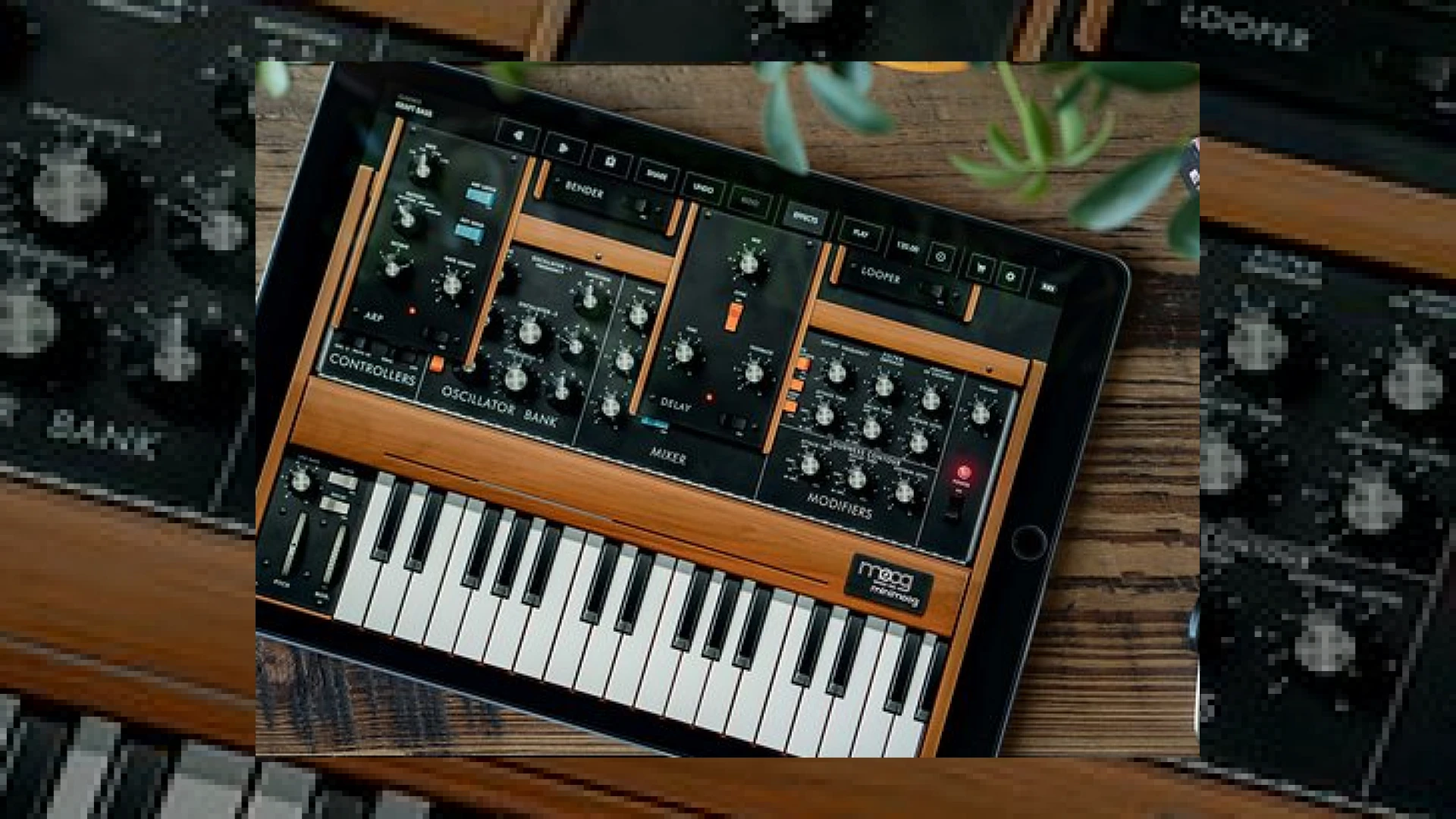
Visual context for Minimoog Model D comes to iOS.
The landscape of mobile music production has experienced a monumental shift. It is an exciting time for mobile music producers as the legendary minimoog model d comes to ios, bringing the iconic analog warmth of the world’s most famous synthesizer directly to Apple’s mobile ecosystem. Originally released in the 1970s, the Model D defined the sound of generations of electronic, rock, and hip-hop music. Now, this legendary architecture is available in the palm of your hand, offering unmatched portability without sacrificing the sonic weight of the original hardware.
Why the Minimoog Model D Comes to iOS Now
When the news broke that the minimoog model d comes to ios, many purists wondered if a mobile device could truly replicate the legendary hardware’s component-level interactions. Thankfully, the developers at Moog Music have utilized sophisticated real-time modeling techniques to achieve an authentic analog vibe. By combining component-level modeling with module-level simulation, they have successfully captured the non-linear behaviors, filter drive, and feedback loops that made the original hardware so beloved. This means the classic ladder filter and raw oscillators behave exactly as they would on a physical unit, reacting dynamically to your playing style.
Technical Breakdown and Specifications
To help you understand how this release fits into your mobile setup, we have compiled a quick overview of the key specifications and features of this groundbreaking iOS release:
| Name | Use | Price | Rating |
|---|---|---|---|
| Minimoog Model D iOS App | Virtual Analog Synthesizer & Sound Design | $14.99 (In-App Purchases Available) | 4.8 / 5.0 |
Modern Features for Mobile Producers
As the minimoog model d comes to ios, it brings not just legacy sounds but also modern digital advantages like polyphony and integrated effects. Unlike the original monophonic hardware, the iOS version allows up to four-note polyphony, letting you play lush chords and complex arrangements. It also includes an arpeggiator, a real-time looping recorder with unlimited overdubs, and a stereo ping-pong delay. These features transform it from a simple emulation into a modern production powerhouse that fits seamlessly into any electronic music producer’s workflow.
Practical Studio Workflow Tips
At SM Mastering Audio Articles, we always emphasize the importance of using high-quality sound sources during the mixing and mastering stages. From a mastering and mixing perspective, the fact that the minimoog model d comes to ios means we now have a highly portable, studio-grade sound source that integrates seamlessly with mobile DAWs via AUv3.
- Emulate Vintage Grit: Use the built-in feedback loop (which routes the synth’s output back into its external input) to add instant analog saturation and warmth to your basslines.
- Export High-Resolution Audio: When recording your iOS synth sessions, export your tracks as 24-bit WAV files. This ensures maximum dynamic range and transient detail when transferring stems to your desktop DAW for professional mastering.
- Utilize AUv3 Instances: Run multiple instances of the app inside mobile hosts like Cubasis, AUM, or BeatMaker 3 to layer basslines, leads, and pads simultaneously.
Conclusion
The porting of this legendary synthesizer to the iOS platform represents a massive win for modern producers. It provides unprecedented access to classic analog textures without the steep price tag of vintage hardware. Whether you are sketching out ideas on an iPad or tracking final layers on the go, this application delivers the authentic, heavy-hitting Moog character that has shaped music history.
Frequently Asked Questions
Does the iOS version of the Minimoog Model D support MIDI?
Yes, it fully supports MIDI controllers over Bluetooth, USB, and virtual MIDI routing inside iOS, allowing you to play the synth using your favorite external keyboard.
Can I use this app as a plugin inside a mobile DAW?
Absolutely. The app features full AUv3 (Audio Unit v3) compatibility, enabling you to run multiple instances inside DAWs like GarageBand, Cubasis, and AUM.
How does the sound quality compare to the original hardware?
While purists may still prefer physical circuitry, Moog’s real-time component-level modeling captures the organic instability and classic filter sweep of the original with remarkable accuracy, making it virtually indistinguishable in a busy mix.
🛒 Official Product Info & Where to Buy
Check full technical specs, pricing, and purchase options directly from the official manufacturer or authorized dealer for Minimoog Model D comes to iOS.

Written by SM Mastering
Official content on sound engineering, mixing, mastering, and advanced electronic production by SM Mastering.