Visual context for Perform your sound design with Reformer Pro.
In the modern post-production and game audio landscape, finding intuitive ways to shape audio in real-time is crucial. When you choose to perform your sound design with reformer pro, you transition from tedious mouse-clicking to an expressive, performance-based workflow. Krotos Audio has redefined how sound effects are generated by allowing creators to analyze their own libraries or use pre-cleared collections, triggering them dynamically via microphone inputs, MIDI controllers, or DAW automation.
This approach mimics the organic feel of a classic Foley stage. For instance, integrating these real-time assets alongside surgical restoration tools from iZotope can elevate any cinematic project to Hollywood standards. By using your voice or a simple instrument, you can sculpt complex textures instantly and organically.
Why You Should Perform Your Sound Design with Reformer Pro
Traditional sound design often involves manually cutting, stretching, and layering individual WAV files on a timeline. However, when you perform your sound design with reformer pro, the software’s engine analyzes incoming audio signals and maps them to a selected library’s sonic profile in real-time. If you whisper into the microphone, the plugin can output the rustling of dry leaves; if you shout, it responds with the crashing of rocks or explosive mechanical textures.
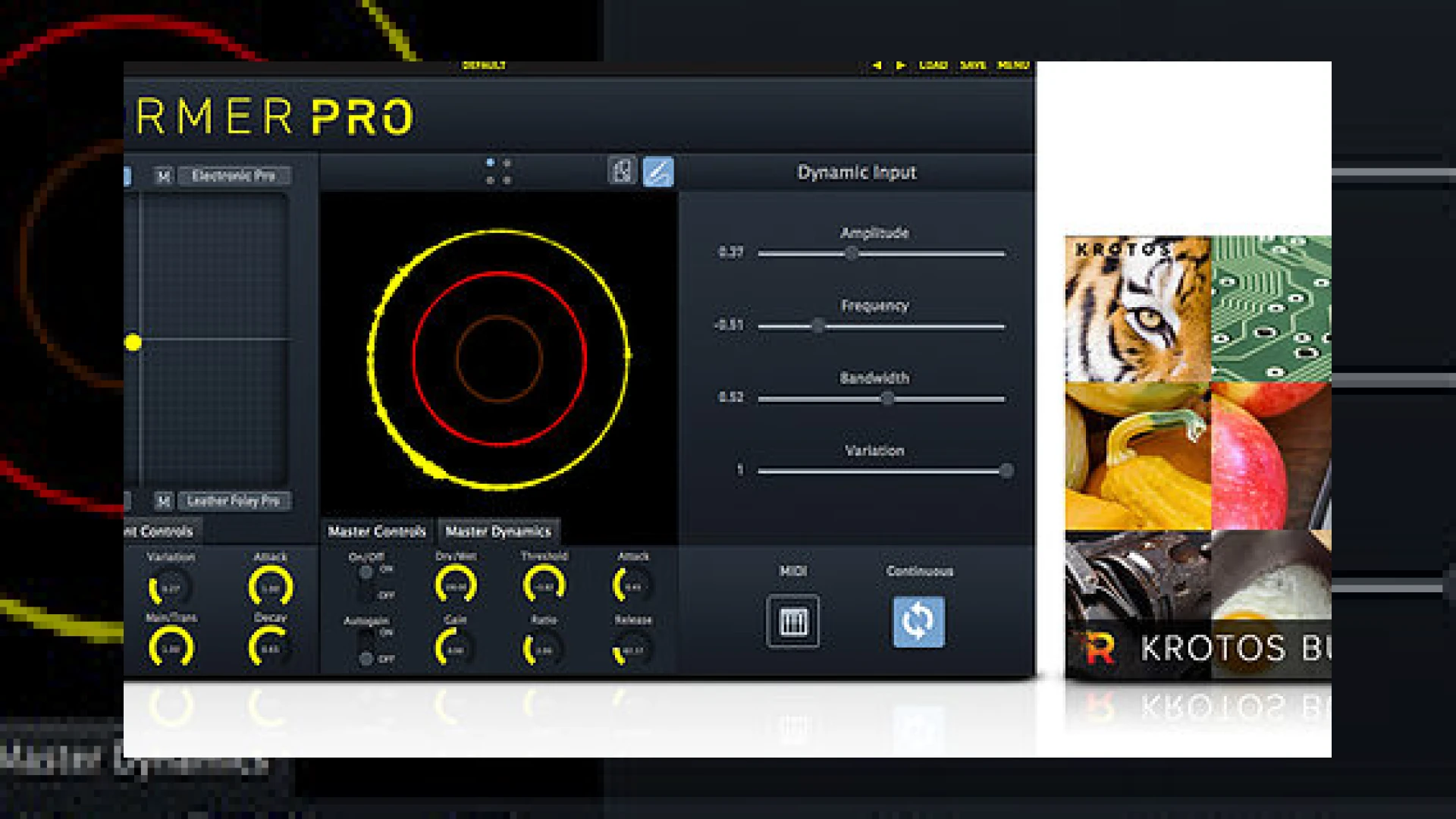
Furthermore, Krotos Audio’s Dynamic Input technology allows you to design sound without any external audio input. You can use standard DAW automation or MIDI velocity to control your libraries instead. For Foley artists and game developers, the ability to perform your sound design with reformer pro in real-time saves countless hours of manual editing, yielding organic and highly variable results that never sound looped or repetitive.
Technical Specifications
| Name | Use | Price | Rating |
|---|---|---|---|
| Krotos Audio Reformer Pro | Real-time sound design, Foley replication, and multi-library blending. | $399 (Subject to seasonal discounts) | 4.8 / 5.0 |
Practical Studio Workflow Tips
To get the most out of this revolutionary tool, consider implementing these professional workflows in your studio:
- Use a clean condenser microphone: Ensure your input signal is free from room reflections or background noise so that the tracking engine accurately captures your vocal dynamics.
- Leverage the Analysis Tool: Don’t limit yourself to factory libraries. Use the built-in Analysis Tool to analyze your personal sound effects database, transforming your existing WAV archives into playable instruments.
- Blend multiple libraries: Use the XY pad within the interface to dynamically morph between up to four different sound libraries (e.g., blending animal growls, fire crackles, and leather movement) to create entirely new hybrid textures.
Conclusion
Ultimately, when you perform your sound design with reformer pro, you are bridging the gap between tactile performance and modern digital post-production. It allows for a level of expressiveness that traditional mouse-and-keyboard editing simply cannot match. As we often discuss in our specialized articles on SM Mastering Audio Articles, maintaining a fluid, creative workflow is key to delivering world-class sonic results under tight deadlines.
Frequently Asked Questions
Can I use my own sounds with Reformer Pro?
Yes, Reformer Pro includes a powerful Analysis Tool that allows you to import your own audio files and analyze them. Once analyzed, your custom sounds are transformed into a playable library that responds dynamically to your inputs.
Do I need a microphone to perform sound design with Reformer Pro?
While a microphone is ideal for vocal performance and Foley matching, it is not strictly necessary. You can use MIDI controllers, pre-recorded audio tracks, or DAW automation to trigger and modulate the sound libraries seamlessly.
What DAWs are compatible with Reformer Pro?
Reformer Pro is compatible with most major Digital Audio Workstations (DAWs) supporting VST, AU, and AAX formats, including Pro Tools, Ableton Live, Logic Pro, and Reaper.
🛒 Official Product Info & Where to Buy
Check full technical specs, pricing, and purchase options directly from the official manufacturer or authorized dealer for Perform your sound design with Reformer Pro.

Written by SM Mastering
Official content on sound engineering, mixing, mastering, and advanced electronic production by SM Mastering.