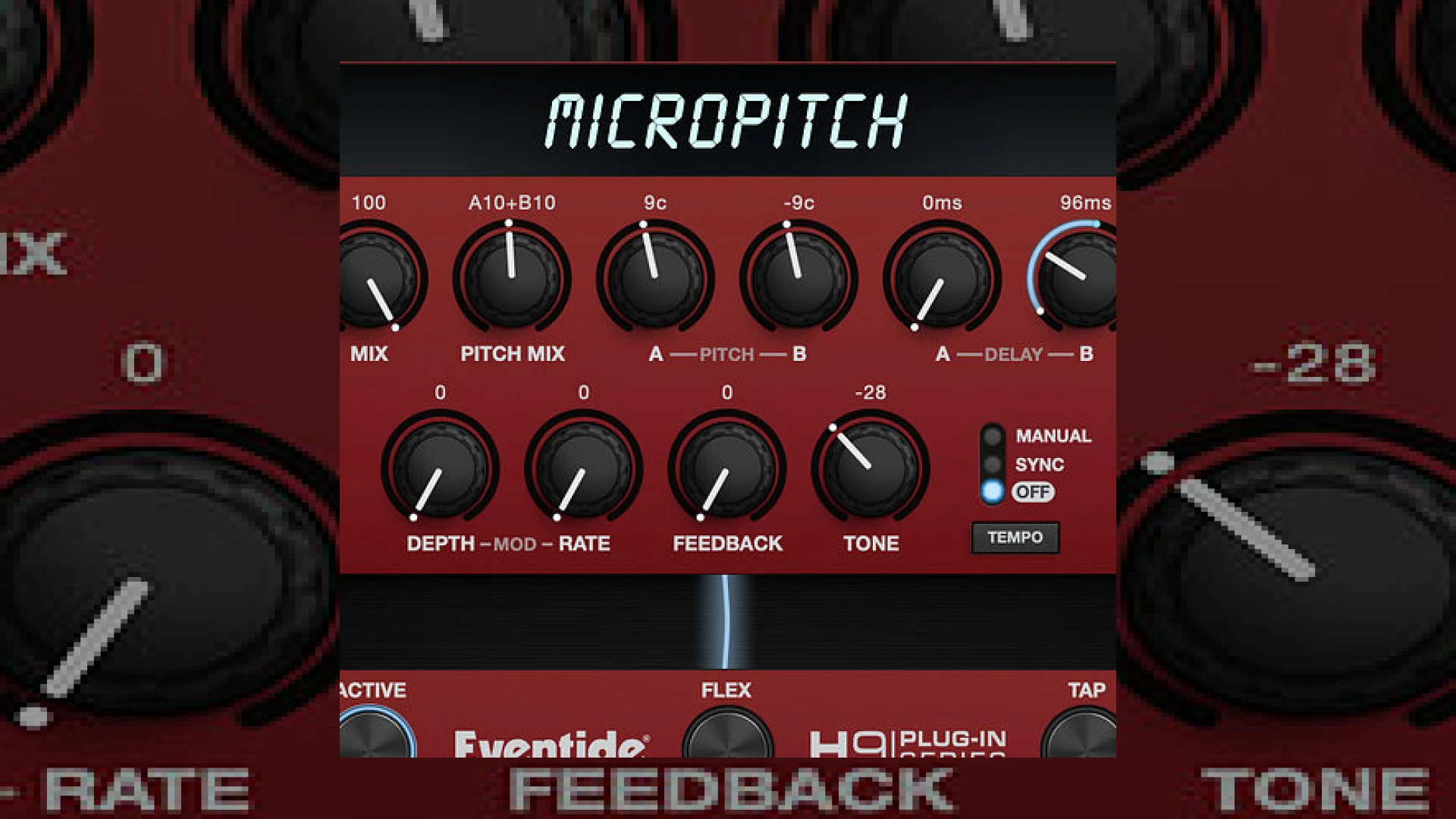
Visual context for Get Eventide's classic doubling effect in your DAW.
If you want to create professional depth and stereophonic width in your modern mixes, learning how to get eventide’s classic doubling effect in your daw is an essential technique. Originally pioneered by legendary hardware units like the H910 and H3000 Harmonizer, this signature pitch-shifting and micro-delay effect has shaped decades of hit records. Whether you are trying to thicken a lead vocal, spread a synthesiser line, or add dimension to a dry guitar track, this classic Artificial Double Tracking (ADT) sound is the industry standard for creating three-dimensional spatial images.
The Science of Micro-Pitch Doubling
To understand why this effect is so prized by mix engineers worldwide, we have to look at the mechanics of psychoacoustics. True double tracking occurs when a musician records a part twice. Because no two performances are identical, slight variations in pitch and timing create a lush, wide stereo image. The classic Eventide hardware simulated this digitally by splitting an input signal into left and right duplicates, shifting one side slightly up in pitch, shifting the other slightly down, and offsetting both with minute delays.
Get Eventide’s Classic Doubling Effect in Your DAW
By utilizing the MicroPitch plugin or similar high-quality micro-shifting tools, you can easily get eventide’s classic doubling effect in your daw without needing vintage rack hardware. Traditionally, engineers had to manually split tracks, adjust fine-tuning knobs, and nudge waveforms to achieve this. Today, modern DSP allows us to load a single insert, adjust the left/right pitch offsets by +/- 9 cents, add a touch of modulation via a tempo-synced LFO, and instantly achieve a massive stereo spread. The stand-alone MicroPitch plugin makes this workflow faster than ever, allowing you to morph from subtle chorus-like thickening to wild, modulated pitch-diving feedback loops.
Practical Studio Workflow Tips for Mastering and Mixing
From an SM Mastering standpoint, knowing how to get eventide’s classic doubling effect in your daw can elevate a lead vocal from flat to radio-ready. However, subtlety is key, especially during mastering or stem-mastering stages. If you are exploring deeper mixing strategies, check out our comprehensive guides on the SM Mastering Audio Articles hub.
Here is a breakdown of how to dial this in effectively in your sessions:
- The Perfect Vocal Spread: Set the left channel to -9 cents shift with a 12ms delay, and the right channel to +9 cents shift with an 18ms delay. Blend the wet signal around 15% to 20% under the dry vocal so that the effect is felt rather than heard as a distinct delay.
- Mono Compatibility Check: Always sum your mix to mono periodically. Since pitch doubling relies on phase offsets, you must ensure that your micro-shifted delays do not cause destructive comb filtering when played back on mono speaker systems.
- Introduce Subtle LFO Modulation: Emulate the natural drift of tape machines by introducing a slow LFO (around 0.5Hz to 1Hz) to gently modulate the delay times. This keeps the stereo field dynamic and organic.
Specifications Table
| Name | Primary Use | Standard MSRP | User Rating |
|---|---|---|---|
| Eventide MicroPitch | Stereo widening, micro-pitch shifting, ADT doubling | $99 USD (often discounted to $39) | 4.8 / 5.0 |
Conclusion
Ultimately, when you get eventide’s classic doubling effect in your daw, you gain access to decades of hit-making sonic heritage. It is a powerful tool that, when used with precision, solves mono-to-stereo imaging problems and breathes life into dry arrangements. For more advanced integration tips, you can research legacy hardware setups from industry giants like Universal Audio to see how classic analog emulation fits into a modern digital hybrid workflow.
Frequently Asked Questions
What is the ideal delay setting for a classic doubling effect?
For a classic doubling effect, delay times between 5ms and 25ms are ideal. Anything shorter than 5ms can cause phase cancellation (comb filtering), while times exceeding 30ms will start to sound like a distinct echo rather than a cohesive double.
Can I achieve this effect with stock DAW plugins?
Yes, you can manually build this effect using a simple stereo delay and two pitch shifter plugins on parallel aux sends. However, dedicated plugins like Eventide MicroPitch streamline this workflow with integrated LFO modulation and feedback controls designed specifically for this task.
How does pitch doubling affect phase correlation?
Because the left and right channels are shifted to different frequencies (e.g., +9 cents and -9 cents), they are decorrelated. This creates a wide stereo image, but you should always monitor your correlation meter to ensure the center image remains strong and does not disappear when summed to mono.
🛒 Official Product Info & Where to Buy
Check full technical specs, pricing, and purchase options directly from the official manufacturer or authorized dealer for Get Eventide's classic doubling effect in your DAW.

Written by SM Mastering
Official content on sound engineering, mixing, mastering, and advanced electronic production by SM Mastering.