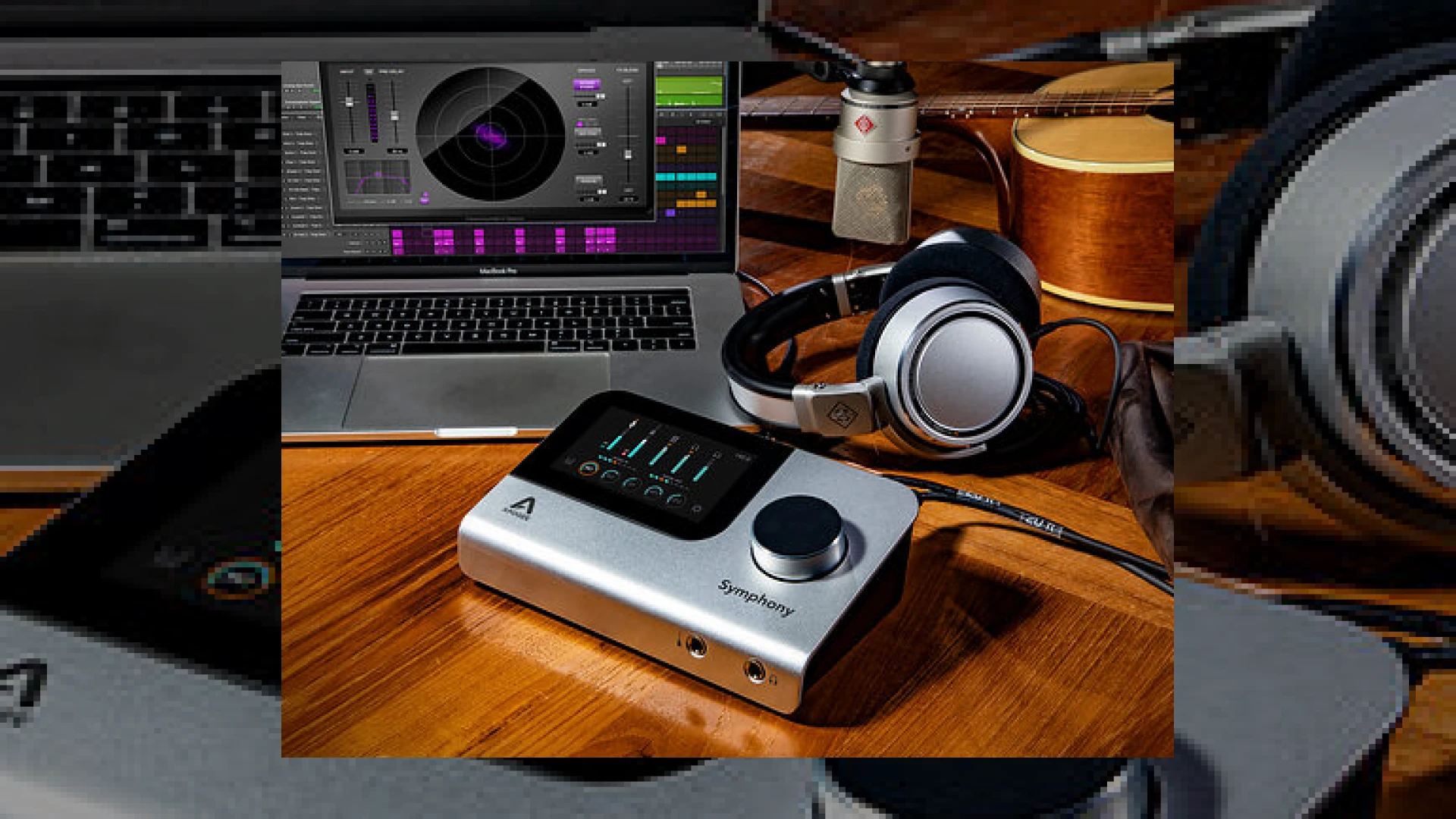
Visual context for Apogee update Symphony Desktop audio interface.
Here at SM Mastering, we continually test and evaluate the latest hardware to hit the market, ensuring our engineers maintain the highest standards of professional audio production. When a manufacturer enhances an already stellar piece of hardware, it immediately catches our attention. Apogee has recently rolled out a significant firmware and software package that fundamentally improves their flagship hardware, making the apogee update symphony desktop audio interface a hot topic among studio professionals and mixing engineers alike.
Exploring the Features of the Apogee Update Symphony Desktop Audio Interface
The February 2022 release (version 1.2 Part II) introduces Apogee Control 2 software alongside crucial firmware enhancements. For engineers seeking pristine analog emulation during tracking, this apogee update symphony desktop audio interface brings immense value by shifting computational weight from your computer CPU directly to the hardware’s onboard DSP chips.
With this new software architecture, users can run premium DSP-powered plug-ins like the Opto-3A compressor, ModEQ, and ModComp directly on the unit. This capability utilizes Apogee’s proprietary DualPath technology. DualPath allows you to monitor through zero-latency DSP effects while tracking, and then seamlessly switch those exact parameter settings over to your native DAW session during mixdown. To explore how high-end mixing practices integrate with modern gear, we recommend reading industry insights over at iZotope for advanced digital processing techniques. Furthermore, integrating these hardware enhancements into your tracking chain ensures that your final mixes require minimal heavy-lifting during the mastering stage. For more professional engineering guides, check out our comprehensive SM Mastering Audio Articles collection.
Hardware Specifications
| Specification Name | Primary Use | Estimated Price | Studio Rating |
|---|---|---|---|
| Apogee Symphony Desktop | High-end USB Audio Interface & DSP Processing | $1,499 | 4.9 / 5 |
Practical Studio Workflow Tips
Maximizing the potential of your apogee update symphony desktop audio interface requires a streamlined tracking and mixing workflow. Here are a few expert recommendations from the SM Mastering team:
* Leverage Touchscreen Control: Use the vivid color touchscreen on the hardware to tweak your Opto-3A and EQ parameters directly without taking your eyes off the artist in the live room.
* Utilize DualPath Wisely: Record with DSP-powered compression and EQ baked into your monitor path to inspire vocalists and instrumentalists with a finished-sounding headphone mix, knowing you can adjust the settings later in your DAW.
* Keep Software Updated: Always ensure both your Apogee Control 2 software and device firmware are running the latest iterations to guarantee maximum stability across macOS and Windows platforms.
Conclusion
The latest release proves that Apogee is committed to maximizing the longevity and capability of their hardware. By bridging the gap between native CPU processing and onboard DSP, the apogee update symphony desktop audio interface empowers modern producers and mix engineers to achieve analog-style workflows with digital precision and zero latency.
Frequently Asked Questions
What plug-ins are included with the update?
The update includes free DSP versions of Apogee’s Opto-3A compressor, ModEQ, and ModComp, which can be run natively on your computer or powered directly by the interface’s internal DSP chips.
Do I need the hardware connected to use the native plug-ins?
No, the native CPU-hosted versions of the plug-ins remain fully functional within your DAW even when the interface is disconnected from your computer.
How does DualPath technology work?
DualPath technology allows you to load plug-ins onto the hardware for zero-latency monitoring while tracking, and then seamlessly transfer those exact plug-ins and settings over to your DAW tracks when transitioning to the mixdown phase.
🛒 Official Product Info & Where to Buy
Check full technical specs, pricing, and purchase options directly from the official manufacturer or authorized dealer for Apogee update Symphony Desktop audio interface.

Written by SM Mastering
Official content on sound engineering, mixing, mastering, and advanced electronic production by SM Mastering.