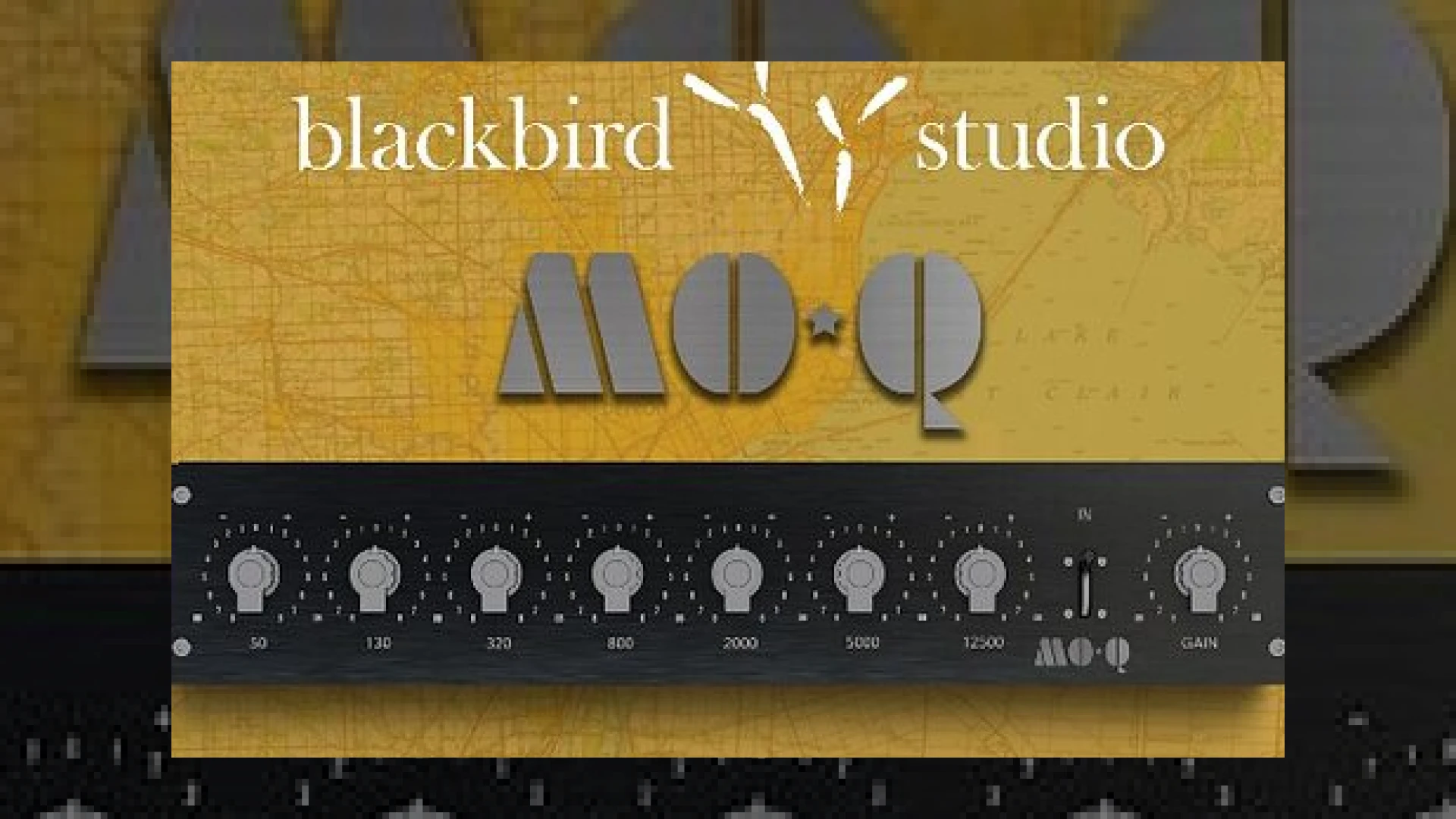
Visual context for KIT Plugins BB Mo-Q.
At SM Mastering, we constantly evaluate innovative digital signal processing tools that promise to bring vintage hardware authenticity into the modern digital workspace. When Blackbird Studio in Nashville collaborates with software developers, the audio community listens intently. In this technical review, we examine how the **kit plugins bb mo-q** captures the historic magic of legendary Motown recording consoles, delivering authentic analogue character straight to your DAW.
## The Heritage and Technology Behind kit plugins bb mo-q
Recreating vintage passive equalisation circuits is no small feat. The **kit plugins bb mo-q** was meticulously developed using KIT’s proprietary Gen2 Full Range Modelling process. This advanced modelling technology captures not just the frequency response curves, but the non-linear harmonic saturation and subtle phase shifts inherent in the original hardware.
Engineers at Blackbird Studio granted access to one of their most prized possessions: a custom-built Motown EQ originally used on timeless masterpieces like Marvin Gaye’s “Let’s Get It On” and The Temptations’ “Papa Was A Rollin’ Stone.” When integrating processors like the **kit plugins bb mo-q** into your mixing chain, you immediately notice a distinct mid-range presence and musical top-end air that standard parametric digital EQs often fail to replicate. For those looking to expand their plugin arsenal further, exploring tools from developers like Soundtoys can similarly complement your saturation and analog-style workflow.
## Key Technical Specifications
Here is a breakdown of the core technical features offered by this processor:
| Feature | Specification |
|---|---|
| Product Name | KIT Plugins BB Mo-Q |
| Primary Use | Vintage Motown EQ Emulation & Analogue Saturation |
| Launch Price | $79 (Regularly $99) |
| Expert Rating | 4.8 / 5.0 |
The unit features seven fixed frequency bands (50Hz, 130Hz, 320Hz, 800Hz, 2000Hz, 5000Hz, and 12500Hz), a streamlined interface, three selectable oversampling modes for maximum fidelity, and over 100 artist-curated presets. Furthermore, it offers native support for Apple Silicon (M1/M2/M3) across AU, VST3, and AAX formats.
## Practical Studio Workflow Tips
To get the most out of your mixes using the **kit plugins bb mo-q**, consider these professional engineering strategies:
* **Vocals:** Boost the 5kHz or 12.5kHz band gently to introduce vintage Motown air and presence without harshness.
* **Bass Guitar:** Use the 50Hz or 130Hz band to carve out a warm, punchy low-end foundation that translates exceptionally well on smaller speaker systems.
* **Drum Bus:** Engage the oversampling mode and drive the input stage lightly to glue your acoustic drums together with authentic console harmonics.
For more deep-dives into mixing strategies and gear rundowns, be sure to check out our SM Mastering Audio Articles.
## Conclusion
The **kit plugins bb mo-q** is far more than a simple EQ emulation; it is a direct portal to a golden era of recording history. By marrying advanced component-level modelling with a user-friendly interface, it bridges the gap between vintage warmth and modern digital efficiency.
## Frequently Asked Questions
### What hardware is the KIT Plugins BB Mo-Q modeled after?
It is modeled directly after a rare, custom-built Motown equaliser housed at Blackbird Studio in Nashville, which was used on numerous iconic 1960s and 1970s soul hits.
### Does the plugin support Apple Silicon native processors?
Yes, the AU and VST3 versions feature native support for Apple M-series chips, ensuring high CPU efficiency during heavy mixing sessions.
### Are there presets included for beginners?
Yes, the software comes equipped with over 100 professionally curated presets designed by accredited industry engineers to help you instantly dial in classic tones.
🛒 Official Product Info & Where to Buy
Check full technical specs, pricing, and purchase options directly from the official manufacturer or authorized dealer for KIT Plugins BB Mo-Q.
Written by SM Mastering
Official content on sound engineering, mixing, mastering, and advanced electronic production by SM Mastering.