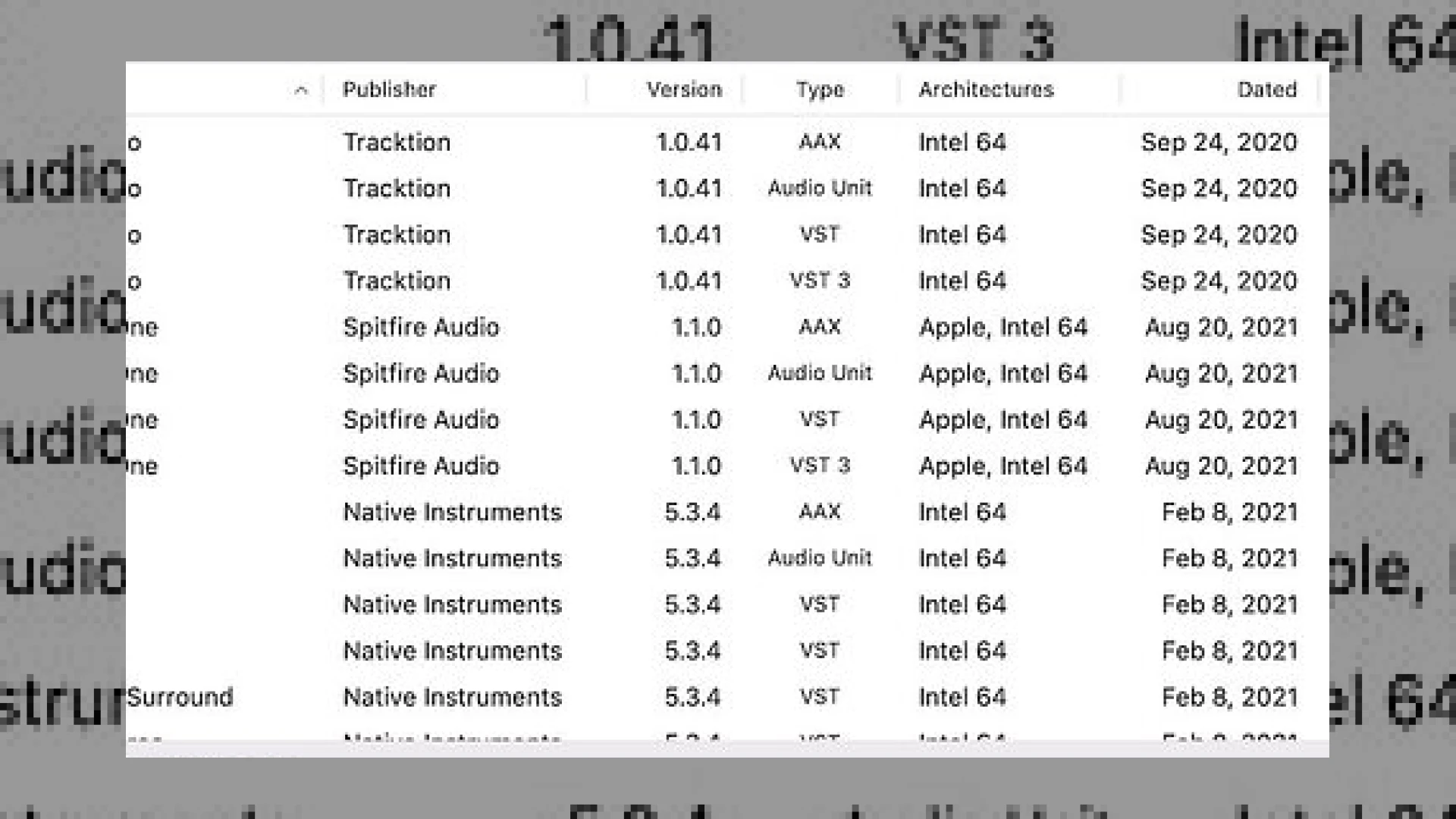
Visual context for PlugInfo Audio Plug-In Explorer.
Navigating the complexities of modern digital audio workstations often means managing vast libraries of virtual instruments and processors. Whether you are preparing sessions for a commercial mix or troubleshooting a sluggish project delivery, understanding your system architecture is critical. Here at SM Mastering Audio Articles, we constantly test utilities that streamline studio maintenance. One utility that has caught our attention recently is the **pluginfo audio plug-in explorer**, a streamlined application designed to give engineers absolute clarity over their software ecosystem.
## Decoding Your System Architecture Using the Pluginfo Audio Plug-In Explorer
Developed by ThinkerSnacks, the **pluginfo audio plug-in explorer** was initially engineered to tackle the pressing challenge of processor compatibility on Apple Silicon systems. As the industry transitions further away from legacy structures, engineers need to instantly know whether their tools run natively or require translation layers like Rosetta. When working alongside industry-standard platforms from developers like Ableton, having a clear audit trail of your software library prevents unexpected CPU spikes and session crashes during critical tracking or mixing phases.
## Deep Dive Into Features and Specifications
The application scans thousands of installed components in mere seconds, compiling a comprehensive database of your virtual studio inventory. Below is a detailed specifications table outlining what this utility tracks.
| Feature Name | Primary Use | Price | User Rating |
|---|---|---|---|
| PlugInfo | Auditing and managing VST, AU, AAX, and CLAP plug-ins | Free (Mac App Store tip version $2.99) | 4.8 / 5 |
Beyond basic enumeration, the **pluginfo audio plug-in explorer** organizes data cleanly by publisher, version, format type, CPU architecture, release date, and storage footprint. Sorting columns or applying deep filter criteria makes library housekeeping effortless. Furthermore, double-clicking a publisher’s name instantly directs you to their web portal, while a contextual command lets you reveal selected items in your system directory for quick backups or cleanups.
## Practical Studio Workflow Tips
Maximizing your session efficiency requires a clean and orderly plug-in folder. Here are a few professional tips for implementing the **pluginfo audio plug-in explorer** into your maintenance routine:
* **Audit Before Major Updates:** Run a complete scan before updating your operating system or DAW to identify outdated architectures that might break compatibility.
* **Storage Optimization:** Sort your library by disk space usage to identify bloated or redundant files that can be safely archived.
* **Format Standardization:** Use the filtering tools to verify that you are instantiating native formats rather than accidental legacy wrappers during heavy mixing sessions.
## Conclusion
Maintaining a pristine digital audio workstation is just as important as acoustic treatment or hardware maintenance. Utilizing the **pluginfo audio plug-in explorer** ensures that your system remains lean, compatible, and optimized for high-performance audio production. It is an indispensable, lightweight addition to any modern engineer’s toolkit.
## Frequently Asked Questions
### What formats are supported by the software?
The application supports a wide array of industry standards, including VST, Audio Unit (AU), AAX, and the newer CLAP plug-in format.
### Is the application free to download?
Yes, it is offered completely free of charge directly from the developer’s website, with a nominal fee available on the Mac App Store for users wishing to support the project.
### How fast is the scanning process?
The software is capable of scanning thousands of installed audio components and their associated metadata in just a matter of seconds.
🛒 Official Product Info & Where to Buy
Check full technical specs, pricing, and purchase options directly from the official manufacturer or authorized dealer for PlugInfo Audio Plug-In Explorer.

Written by SM Mastering
Official content on sound engineering, mixing, mastering, and advanced electronic production by SM Mastering.