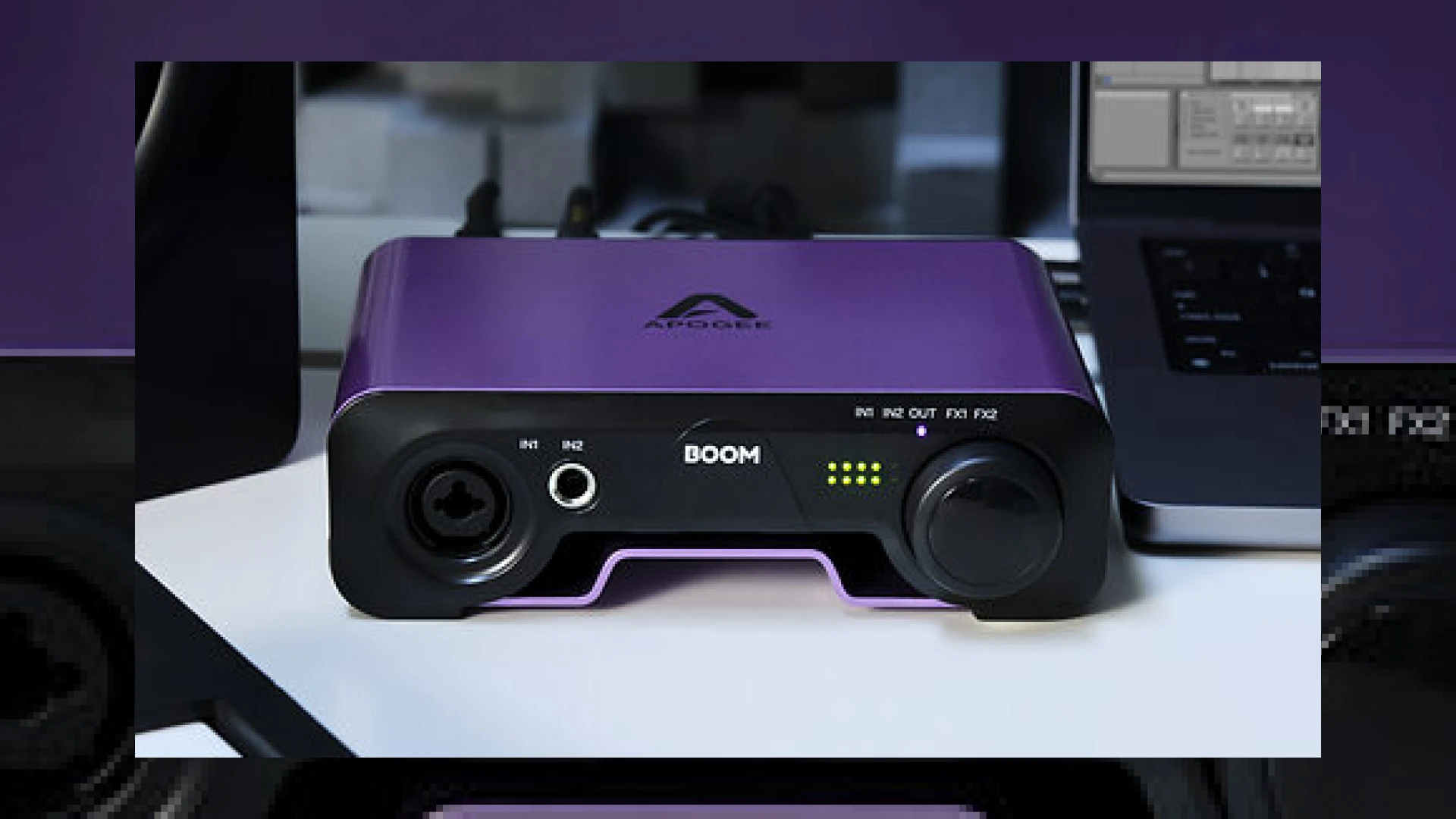
Visual context for Apogee launch BOOM audio interface.
When Apogee announced the **apogee launch boom audio interface**, the project studio and content creation communities took immediate notice. Known industry-wide for their high-end conversion and elite studio hardware, Apogee engineered this compact 2×2 unit to bring their legendary signal path down to a more accessible price point without compromising on professional audio fidelity. Whether you are tracking vocals, mixing a project, or preparing files for professional engineering via SM Mastering Audio Articles, having pristine conversion at the front end is essential.
Hardware Architecture and Professional Build Quality of the Apogee Launch Boom Audio Interface
Housed inside a robust steel chassis with protective rubber feet, the hardware feels remarkably road-ready. The **apogee launch boom audio interface** supports pristine digital recording at up to 24-bit/192kHz resolution. It features one 1/4-inch balanced instrument jack and one balanced combo input capable of accepting a maximum level of +18 dBu. The onboard preamps deliver up to 62 dB of clean gain, making it capable of driving notoriously quiet dynamic microphones effortlessly.
For monitoring, the unit features a zero-ohm headphone output alongside left and right balanced 1/4-inch monitor outputs. When you are ready to check your low-end translation or stereo image, pairing your workflow with reference monitoring plugins from industry leaders like Plugin Alliance ensures your mixes will translate seamlessly across commercial playback systems.
Onboard DSP and Workflow Integration
One of the standout features that sets the **apogee launch boom audio interface** apart from standard USB-C bus-powered competitors is its onboard hardware DSP. Apogee integrated processing derived from their acclaimed Symphony ECS Channel Strip plug-in, tuned in collaboration with legendary mixer Bob Clearmountain. This allows you to track through a hardware-driven 3-band EQ, a transparent compressor, and a drive control that adds analog-inspired warmth and subtle saturation before the signal even hits your DAW.
Furthermore, the device includes a versatile software mixer and a Loopback mode. This makes it an exceptional tool not just for tracking musicians, but also for live streamers, podcasters, and video creators who need to route system audio effortlessly alongside microphone inputs.
Technical Specifications
| Feature | Specification |
|---|---|
| Name | Apogee BOOM |
| Use | 2×2 USB-C Audio Interface for Studio & Content Creation |
| Price | $299 USD / £329 RRP |
| Rating | 4.8 / 5.0 |
Practical Studio Workflow Tips
To maximize the performance of your **apogee launch boom audio interface**, follow these essential workflow practices:
* **Gain Staging:** Take advantage of the 62 dB of clean preamp gain, but keep your peaks around -12 dBFS to leave adequate headroom for mixing and mastering stages.
* **Leverage Onboard DSP:** Use the hardware-powered Symphony ECS channel strip during tracking to commit pleasing compression and EQ early, freeing up native computer CPU during heavy mixing sessions.
* **Utilize Loopback Correctly:** When streaming or podcasting, configure the Apogee Control 2 application to balance your local mic level against incoming browser or DAW audio cleanly.
Conclusion
The introduction of the **apogee launch boom audio interface** proves that elite-tier conversion and analog-modeled hardware DSP do not require a massive studio budget. By packing professional preamps, Bob Clearmountain-tuned processing, and robust build quality into a portable USB-C package, Apogee has delivered an exceptional hub for modern creators and tracking engineers alike.
Frequently Asked Questions
Does the Apogee BOOM require an external power supply?
No, the unit is entirely bus-powered via its USB-C connection, making it highly portable for mobile recording setups on macOS, Windows, and iOS devices.
Can I use the hardware DSP while recording into any DAW?
Yes, the onboard Symphony ECS channel strip processing runs directly on the hardware DSP, allowing you to monitor and record with zero latency across virtually all standard audio recording applications.
Is the unit compatible with iPad Pro?
Yes, using the Apogee Control 2 app, the interface connects directly and functions seamlessly with modern iPad Pro models equipped with USB-C ports.
🛒 Official Product Info & Where to Buy
Check full technical specs, pricing, and purchase options directly from the official manufacturer or authorized dealer for Apogee launch BOOM audio interface.

Written by SM Mastering
Official content on sound engineering, mixing, mastering, and advanced electronic production by SM Mastering.