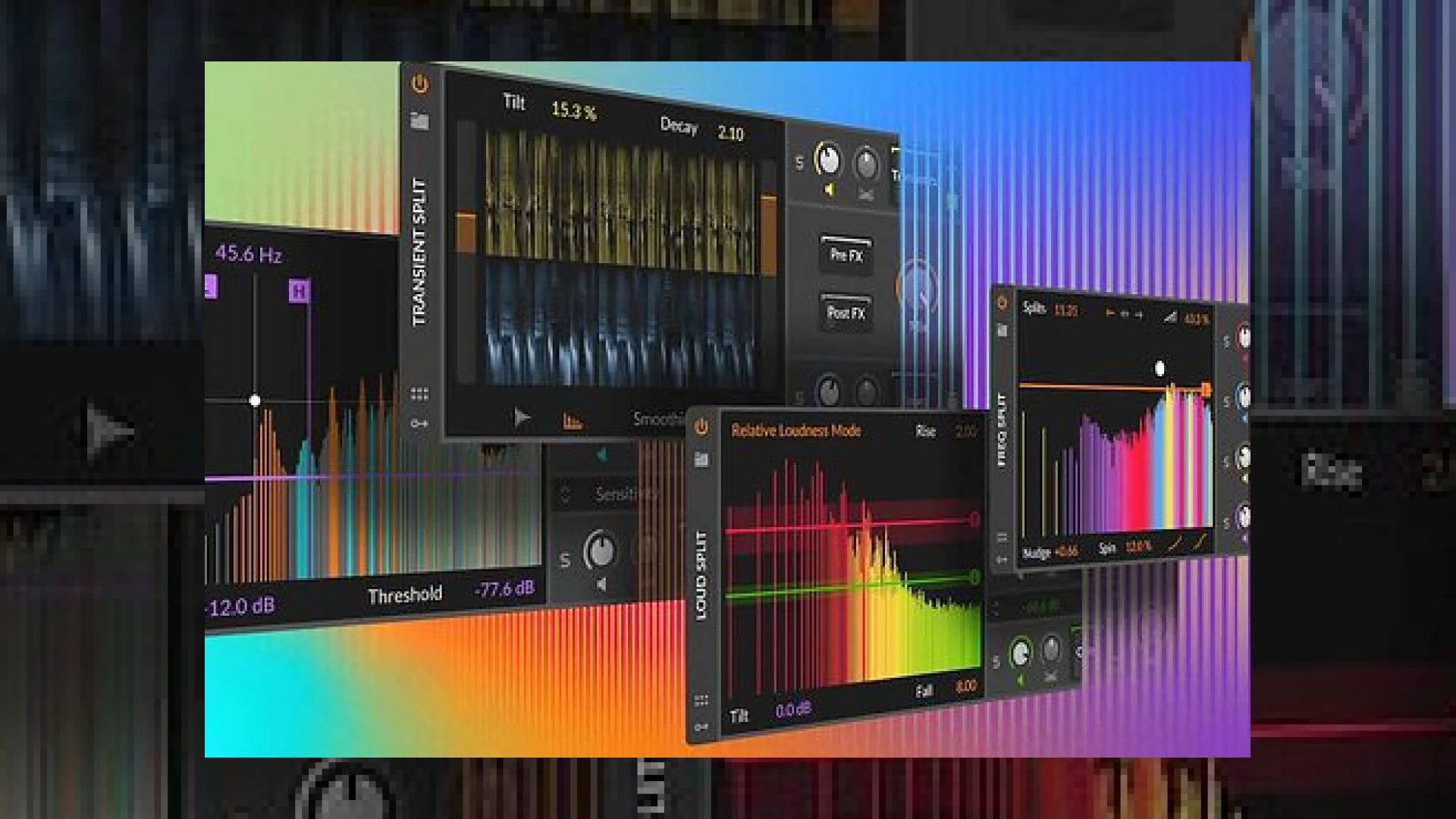
Visual context for Bitwig release Spectral Suite add-on.
When modern electronic music production pushes the boundaries of frequency manipulation, major software developers continually introduce groundbreaking tools. The recent news regarding **bitwig release spectral suite add-on** has generated immense excitement across the professional mixing and mastering community. At SM Mastering, we analyze how these innovative processors impact both creative sound design and precision signal flow. For foundational insights on professional mixing techniques, consult our comprehensive guide via SM Mastering Audio Articles.
Exploring the Core Elements of the Bitwig Release Spectral Suite Add-On
The core philosophy behind the **bitwig release spectral suite add-on** centers on breaking incoming audio signals down into hundreds of individual frequency bands for granular analysis. Bitwig Studio organizes these related elements into distinct channels, enabling engineers to apply traditional mixing paradigms—such as volume adjustments and panning—directly to specific spectral slices.
This modular approach feels reminiscent of advanced signal processing workflows found in hardware systems and high-end suites like those developed by iZotope. By analyzing how modern DAWs handle internal routing, producers can achieve unprecedented clarity in dense arrangements.
Inside the Four Specialized Devices
The suite delivers four dedicated devices tailored to isolate specific musical components:
* **Loud Split:** Separates elements based on amplitude, letting producers elevate quiet details or tame aggressive peaks without crushing overall dynamics.
* **Transient Split:** Isolates percussive transients from sustained tonal information, perfect for independently processing drum hits within a full loop.
* **Harmonic Split:** Distributes harmonic content into two groups while isolating non-harmonic material into a third channel for targeted tonal sculpting.
* **Freq Split:** Provides precise frequency-band segregation for surgical EQ applications and creative multi-band modulation.
Furthermore, producers aiming to integrate these devices into complex templates will find the **bitwig release spectral suite add-on** provides over 100 expertly designed presets and clips to accelerate workflow integration.
Spectral Suite Specifications
| Specification Name | Primary Use Case | Price Tier | SM Mastering Rating |
|---|---|---|---|
| Bitwig Spectral Suite | Advanced spectral sound design & multi-band mixing | Add-on Bundle | 9.5/10 |
Practical Studio Workflow Tips
Integrating the **bitwig release spectral suite add-on** into your daily tracking and mixing sessions requires a strategic approach. When working with complex bus channels, try inserting Transient Split prior to your primary bus compression. This allows you to retain crisp, snappy drum attacks while gluing the sustained elements of your mix together smoothly. Additionally, use Harmonic Split on master instrument busses to independently treat upper-order harmonics for enhanced air and presence.
Conclusion
Ultimately, the **bitwig release spectral suite add-on** redefines what is possible inside a native DAW environment. By offering deep spectral manipulation coupled with intuitive routing, Bitwig empowers producers and mix engineers to tackle complex audio challenges with surgical precision.
Frequently Asked Questions
What host software is required to use the Spectral Suite?
The Spectral Suite functions as an add-on product specifically designed for Bitwig Studio, seamlessly integrating into its modular device grid and modulation ecosystem.
Can I insert third-party VST or CLAP plugins into the split channels?
Yes. Once Bitwig separates the incoming audio signal into individual spectral channels, you can insert standard VST or CLAP plug-ins into each discrete path for highly localized processing.
Does the package include preset examples?
The bundle comes equipped with a comprehensive sound package featuring over 100 presets and audio clips designed to showcase the creative potential of all four spectral devices.
Written by SM Mastering
Official content on sound engineering, mixing, mastering, and advanced electronic production by SM Mastering.