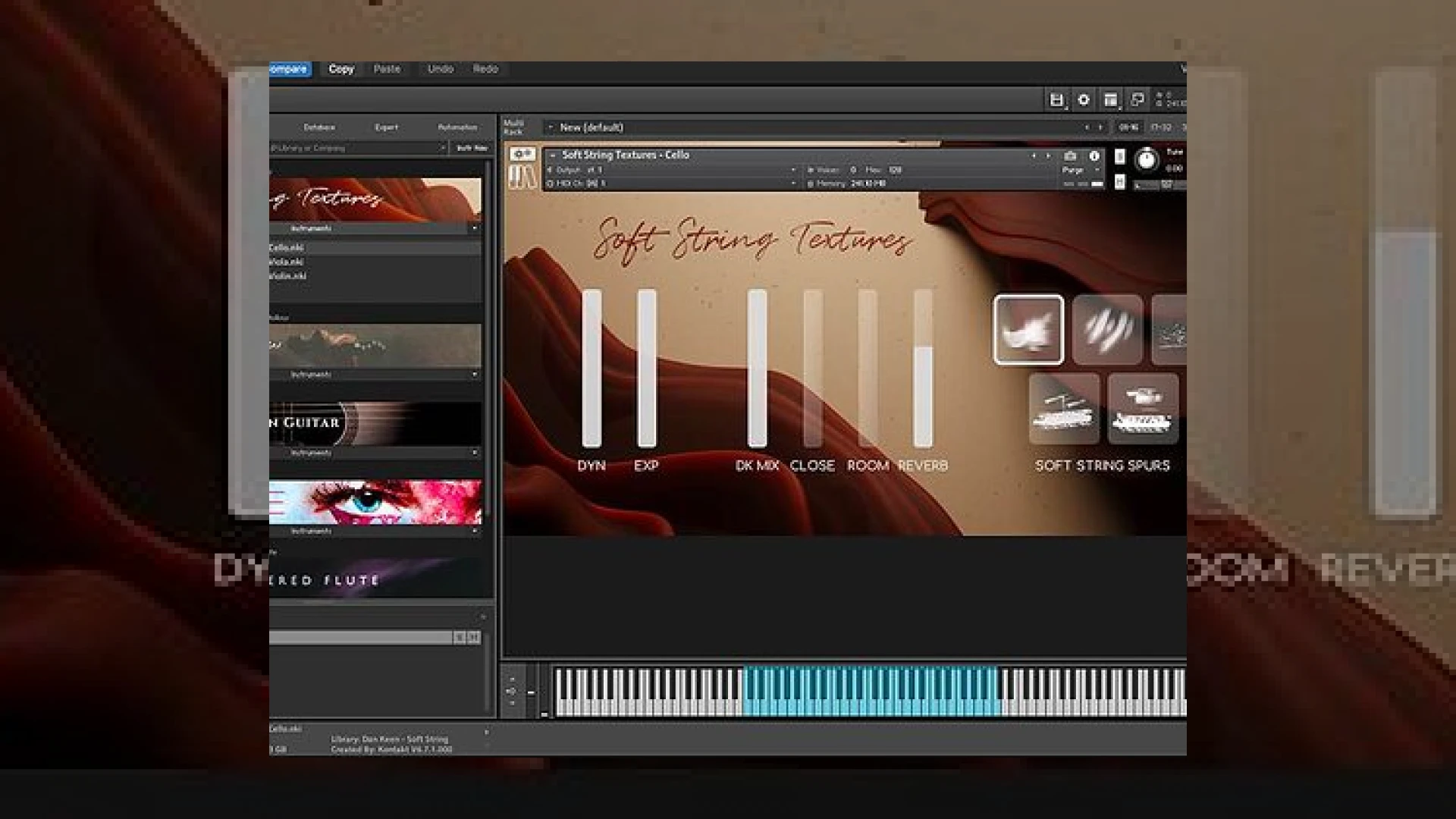
Visual context for Soft String Textures from Pianobook.
When it comes to crafting modern cinematic soundscapes and intimate indie-film scores, producers constantly hunt for unique, evocative source material. One of the most remarkable additions to the sampling landscape is the release of **soft string textures from pianobook**, a collaborative creation by composer Dan Keen and the visionary community at Pianobook. Recorded meticulously in Studio B at Spitfire Audio’s headquarters, this library delivers pristine 24-bit / 48kHz audio captured across eight distinct microphones, giving mixing engineers an incredible canvas for spatial depth and tonal shading.
At SM Mastering, we frequently analyze how virtual instruments translate from the MIDI grid into a polished commercial mix. Whether you are prepping tracks for cinematic synchronization or building ethereal background beds, integrating **soft string textures from pianobook** into your template can instantly elevate your emotional impact. To ensure your production meets modern industry standards, let’s dive into the core specifications, workflow strategies, and technical nuances of this inspiring sample library.
Technical Specifications and Core Features
Before committing a virtual instrument to a dense mix, professional engineers evaluate its technical footprint, dynamic response, and articulation depth. The following table breaks down the essential details of this Kontakt-compatible release:
| Library Name | Primary Application | Price | Studio Rating |
|---|---|---|---|
| Soft String Textures | Cinematic Scoring & Ambient Production | Free (Pianobook Community) | 4.8 / 5 |
The library captures solo violin, viola, and cello performances separately, featuring three dynamic layers and two round robins. Articulations include Soft String Spurs, Staggered Tremolo, Harmonic Whistles, and Sporadic Trills. Furthermore, users get access to 10 “Warped” presets that utilize heavy layering and processing for instant hybrid sound design.
Practical Studio Workflow Tips for Mixing
Working with acoustic sample libraries requires a delicate touch, especially when dealing with fragile, intimate performances. Here are a few professional studio workflow tips to help you get the most out of **soft string textures from pianobook**:
* **EQ and Resonance Control:** Because these strings were captured up-close in a controlled studio environment using eight microphones, you may encounter subtle boxy frequencies in the low-mids (around 300Hz–500Hz). Use a dynamic EQ—such as those found in the iZotope software ecosystem—to gently tame transient build-ups without sacrificing the natural wood resonance of the violin, viola, and cello.
* **Spatial Placement:** Leverage the multi-microphone architecture to place the soloists precisely within your stereo field. Panning the violin and viola slightly while keeping the cello anchored near the center helps create a believable, cohesive chamber ensemble image.
* **Managing Dynamics:** With three dynamic layers and two round robins, automation is key. Draw in expressive volume and expression CC curves to smooth out transitions, ensuring the performances sound human and breathing rather than static and rigid.
* **Enhancing the Warped Presets:** The 10 included Warped presets already feature heavy processing, but you can push them further. Try routing them into creative delay and saturation units like those from Soundtoys to create evolving, atmospheric soundscapes that sit wonderfully behind dialogue or sparse piano arrangements.
To explore more insights on modern hybrid mixing techniques, check out our comprehensive guide at SM Mastering Audio Articles.
Why Producers Are Embracing These Samples
The beauty of utilizing **soft string textures from pianobook** lies in its organic human element. Instead of relying on rigid, over-quantized orchestral libraries, Dan Keen’s curation highlights the natural inconsistencies and expressive nuances of players like Ellie Consta, Georgie Davis, and Meera Raja. This approach eliminates the sterile digital sheen that plagues many contemporary sample instruments, allowing producers to achieve warmth and character straight out of the box.
Frequently Asked Questions
What sampler format is required to run Soft String Textures?
The library is designed to run seamlessly within Native Instruments’ industry-standard Kontakt or Kontakt Player, making it easily accessible for both professional composers and bedroom producers alike.
Are the individual string sections recorded together or separately?
To give users ultimate control over mixing, stereo imaging, and balance, the violin, viola, and cello players were recorded entirely separately in Studio B at Spitfire Audio’s headquarters.
Can I use these samples in commercial music productions?
Yes, libraries hosted on Pianobook are generally free to download and use in your musical compositions, though checking the specific licensing terms upon download is always recommended for commercial film or television placements.
🛒 Official Product Info & Where to Buy
Check full technical specs, pricing, and purchase options directly from the official manufacturer or authorized dealer for Soft String Textures from Pianobook.
Written by SM Mastering
Official content on sound engineering, mixing, mastering, and advanced electronic production by SM Mastering.