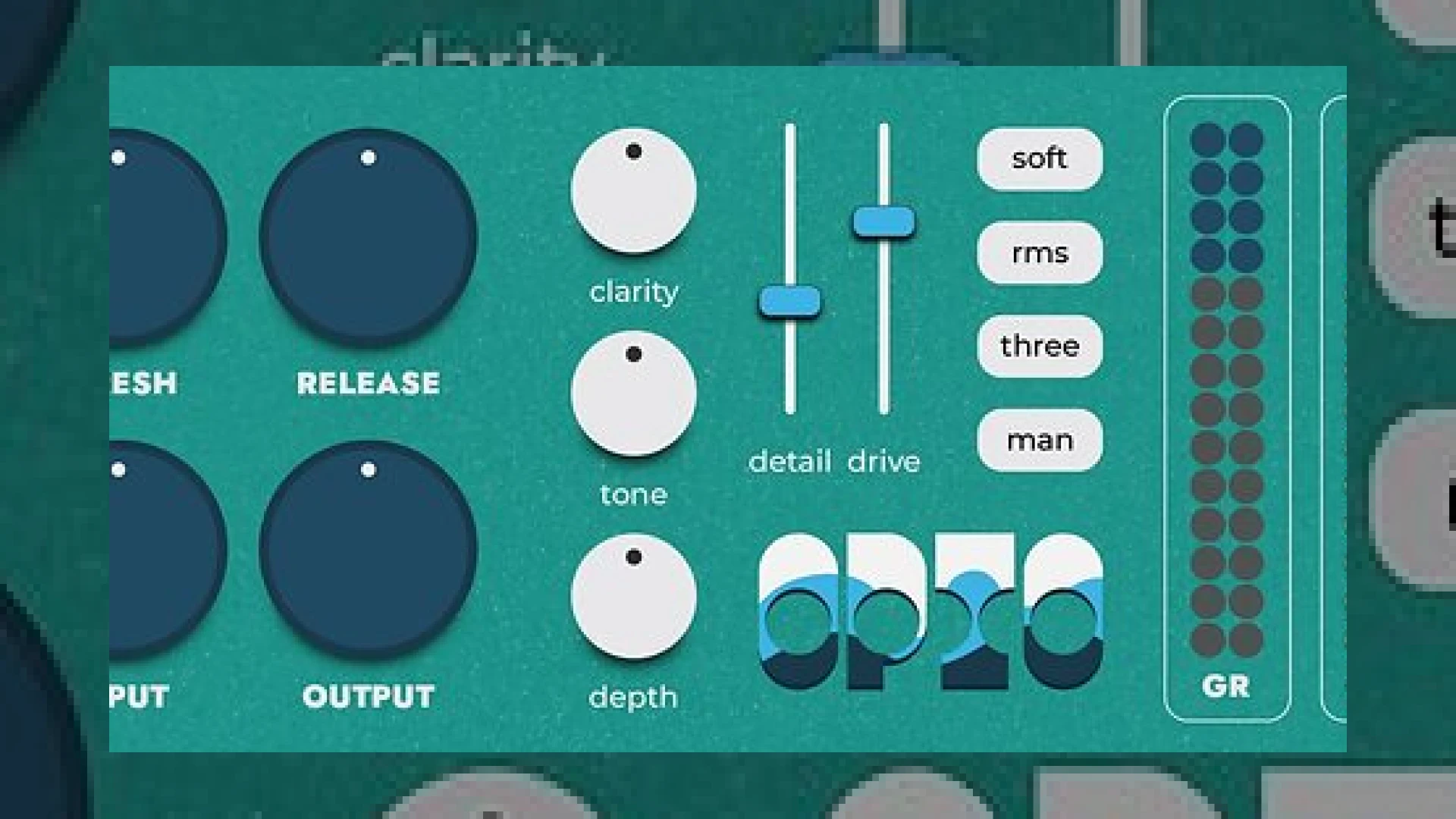
Visual context for fedDSP introduce Opto compressor plug-in.
The digital audio workstation environment is constantly evolving, with new tools pushing the boundaries of analog emulation. Recently, the announcement that **feddsp introduce opto compressor plug-in** has generated significant buzz among mixing and mastering engineers worldwide. As mastering experts, we are always on the lookout for tools that offer musical control over dynamics without destroying the transient response of a mix. This new plug-in aims to solve one of the biggest challenges in digital mixing: capturing the legendary, relaxed, and highly musical gain reduction of optical circuits.
We regularly analyze dynamic processors in our SM Mastering Audio Articles, comparing classic analog hardware with their digital counterparts. Optical compressors, known for their program-dependent release curves and smooth character, have always been a staple in both tracking and mastering. By having **feddsp introduce opto compressor plug-in**, the industry gets a powerhouse containing four separate optical emulations inside a single utility, allowing users to switch between different physical behaviors with a single click.
Why the feddsp introduce opto compressor plug-in is a Game-Changer
Optical compressors are praised for their relaxed, musical sound. However, because there is such a wide variation in the physical design and sonic footprint of vintage opto hardware, focusing on just one model is often limiting. This is precisely why the decision to have **feddsp introduce opto compressor plug-in** with four distinct modes is so brilliant. Each mode alters the behavior, feel, program-dependent settings, saturation, and overall transient response of the compressor, making it a highly versatile dynamic tool.
To complement its dynamic engine, the plugin includes advanced tone-shaping modules. A ‘Drive’ control introduces subtle, pleasant harmonics without devolving into harsh distortion. There is also a ‘Trafo’ toggle that emulates transformer-based circuitry, delivering that classic low-mid thickness we often find in high-end hardware from manufacturers like Universal Audio. Finally, the ‘Detail’ feature functions as a gentle upward compressor, raising low-level details and presence while avoiding any high-frequency sibilance.
Specifications & Overview
| Specification / Parameter | Details & Functionality |
|---|---|
| Product Name | Opto Compressor |
| Primary Use | Smooth Optical Dynamic Control, Tone Shaping, and Saturation |
| Key Features | 4 Optical Modes, Drive Control, Trafo Emulation, Detail Upward Compression |
| Price | $79 USD (Introductory discounts often available) |
| Rating | 4.8 / 5 Stars |
Practical Studio Workflow Tips for fedDSP Opto
- Vocal Leveling: Start with Mode 1 or 2 for a slower, classic leveling response. Adjust the ‘Detail’ knob to bring forward breath and low-level vocal nuances without adding harsh sibilance.
- Drum Bus Glue: Engage the ‘Trafo’ setting to add transformer-like weight to the low-end. Use a moderate attack to let the initial drum transients pass before the optical circuit gently clamps down.
- Mastering Polish: Place the plugin on your master bus with a very low ratio. Use the ‘Clarity’ and ‘Depth’ parameters in the main editor to fine-tune the spectral balance of the entire mix.
Conclusion
Ultimately, when developers like **feddsp introduce opto compressor plug-in**, they deliver a highly versatile dynamic processor that bridges the gap between clean digital control and vintage vibe. Whether you are seeking subtle bus gluing or aggressive vocal leveling, this tool deserves a trial run in your next session. Its four distinct modes and advanced transformer emulations ensure it can adapt to almost any genre or source material.

Additional product view and interface angle for fedDSP introduce Opto compressor plug-in.
Frequently Asked Questions
What makes the feddsp introduce opto compressor plug-in different from standard opto emulations?
Unlike standard emulations that model a single unit, this plugin offers four independent modes mimicking different optical behaviors, along with transformer emulation (Trafo) and upward compression (Detail) for ultimate versatility.
Can I use this plugin for mastering purposes?
Yes, absolutely. The plugin includes “Clarity”, “Tone”, and “Depth” settings which allow you to adjust brightness, overall spectral balance, and low-end weight, making it excellent for subtle mastering adjustments.
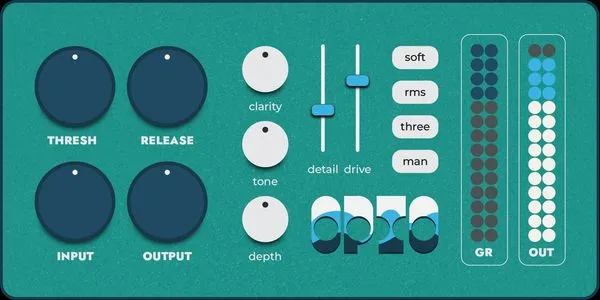
Additional product view and interface angle for fedDSP introduce Opto compressor plug-in.
What does the “Trafo” control do in this plugin?
The “Trafo” control emulates transformer-based circuitry, adding a hardware-like thickness, subtle density, and harmonic warmth to the low-mid frequencies of your audio.

Additional product view and interface angle for fedDSP introduce Opto compressor plug-in.
🛒 Official Product Info & Where to Buy
Check full technical specs, pricing, and purchase options directly from the official manufacturer or authorized dealer for fedDSP introduce Opto compressor plug-in.

Written by SM Mastering
Official content on sound engineering, mixing, mastering, and advanced electronic production by SM Mastering.