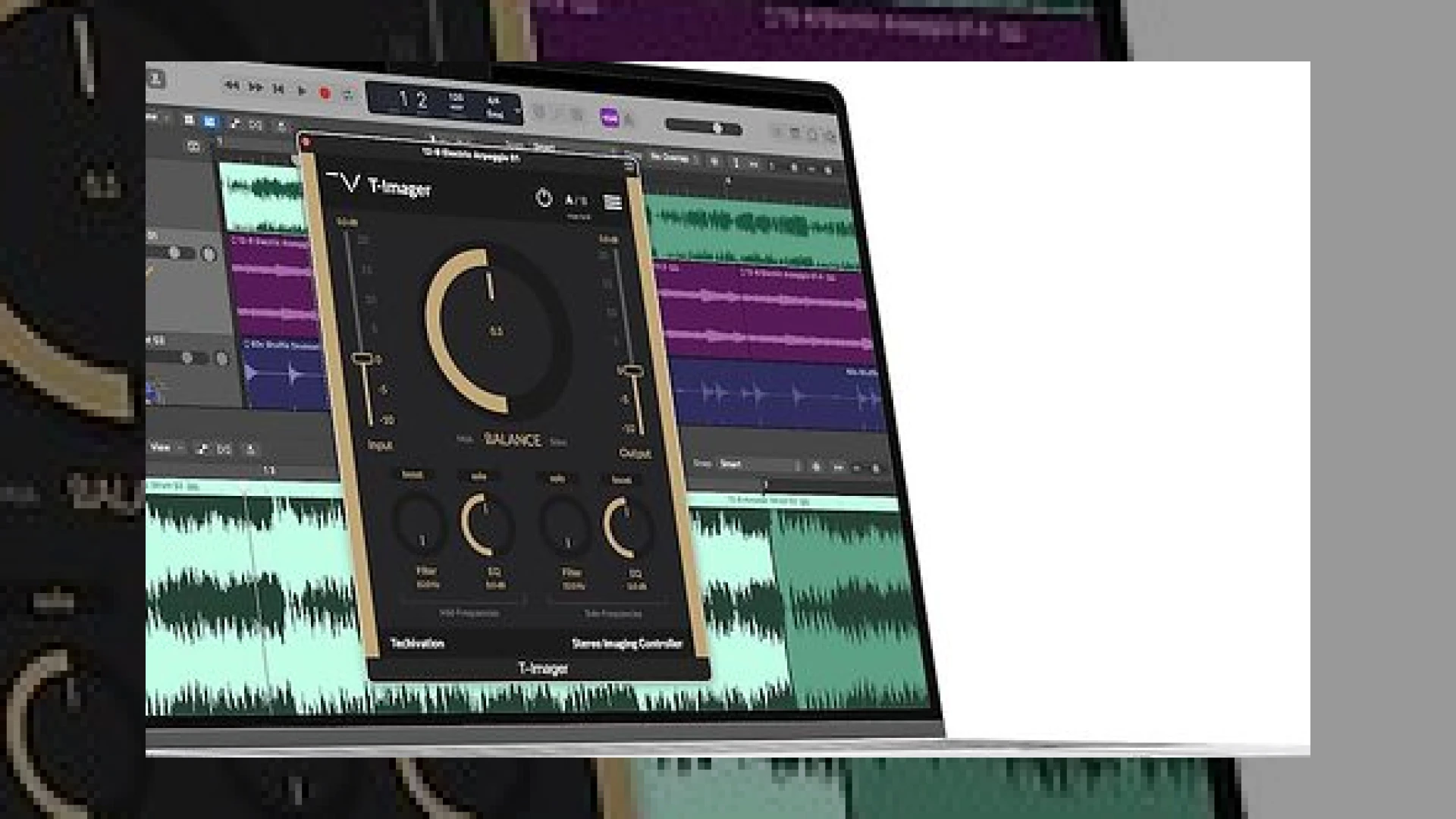
Visual context for Techivation launch T-Imager.
When software developers introduce innovative tools to the mixing and mastering community, the workflow implications are often profound. That is precisely the case now that industry circles are buzzing with the news that techivation launch t-imager, a powerful new stereo imaging plug-in designed to give engineers precise control over mid-side processing without unwanted phase issues or artifacts.
Here at SM Mastering Audio Articles, we always put new processors through their paces to see how they fit into modern professional workflows. Stereo width manipulation can easily ruin mono compatibility if handled improperly, making the design philosophy behind this new release particularly interesting for critical listening environments.
Why Audio Professionals Are Talking About Techivation Launch T-Imager
The core of this plug-in relies on a sophisticated mix of level and filter-based processing. The visual layout follows the brand’s signature clean aesthetic, centered around a large Balance knob that dynamically blends the mid and side elements. For engineers seeking inspiration on how to combine spatial tools with classic analog gear emulation, reference resources like Universal Audio provide great insights into signal flow optimization.

Additional product view and interface angle for Techivation launch T-Imager.
Furthermore, the inclusion of dedicated filter and tilt EQ controls for both mid and side channels allows users to sculpt the frequency spectrum of the stereo field independently. This makes the excitement surrounding techivation launch t-imager entirely justified for genres requiring immense spatial clarity, such as modern electronic music, cinematic scoring, and dense pop productions.
Specifications
| Feature | Details |
|---|---|
| Name | Techivation T-Imager |
| Use | Stereo Imaging & Mid-Side Processing |
| Price | Check official website for current introductory rates |
| Rating | 4.8 / 5 |
Practical Studio Workflow Tips
To get the most out of your sessions following the techivation launch t-imager release, consider implementing these professional mixing and mastering tips:
- Keep the Low End Mono: Use the built-in high-pass filter capabilities up to around 100Hz–150Hz on the side channel to ensure your sub-bass and kick drum remain completely centered and punchy.
- Use Tilt EQs Sparingly: Subtle adjustments to the tilt EQ on the sides can add “air” and brightness to overheads and synth pads without harshness.
- Check Mono Compatibility: Always flip your master bus to mono periodically while adjusting the central Balance knob to ensure phase coherence remains intact.
Conclusion
Ultimately, the buzz surrounding techivation launch t-imager is well-earned. By combining intuitive controls with transparent processing algorithms, it bridges the gap between surgical precision and creative musicality. Whether you are polishing a full mix or giving width to an individual synth line, adding this tool to your arsenal will undoubtedly enhance your spatial mixing capabilities.
Frequently Asked Questions
1. What is the main purpose of Techivation T-Imager?
It is designed to give engineers precise control over the mid and side elements of a stereo signal using level blending and targeted filter/EQ processing, ensuring zero phase artifacts.
2. Can I use T-Imager on a master bus?
Yes, its transparent sound and reliable mono compatibility controls make it an excellent choice for final stereo bus enhancements during mastering.
3. How does the Balance knob work?
The central Balance knob blends the mid and sides. Setting it to 0 results in a purely mono signal, while a setting of 1 isolates only the side information.
🛒 Official Product Info & Where to Buy
Check full technical specs, pricing, and purchase options directly from the official manufacturer or authorized dealer for Techivation launch T-Imager.

Written by SM Mastering
Official content on sound engineering, mixing, mastering, and advanced electronic production by SM Mastering.