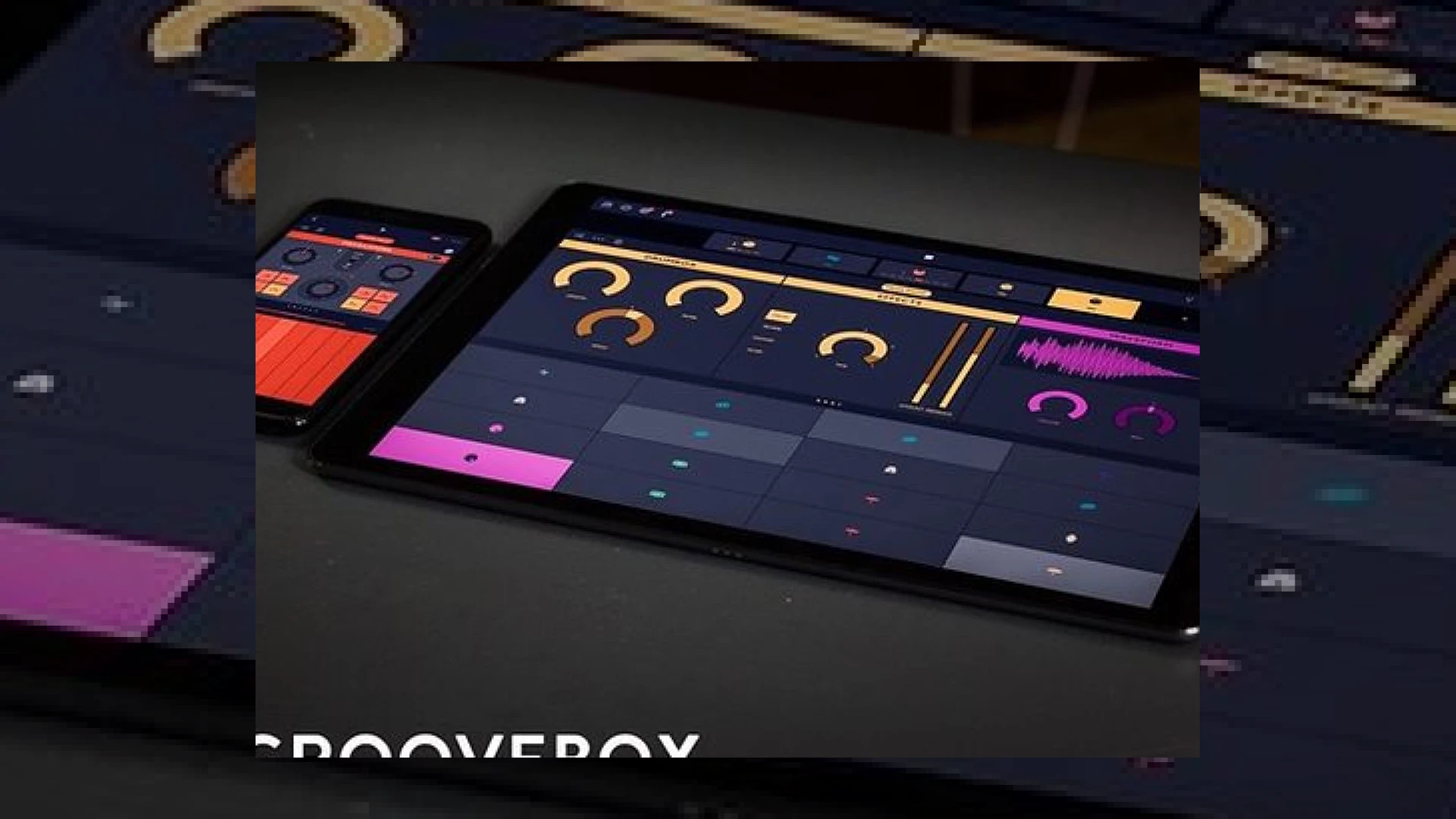
Visual context for Groovebox: a new studio app from Launchpad makers.
In the rapidly evolving landscape of mobile music production, iOS devices have transitioned from simple novelty platforms into bona fide sketchpads for professional producers. Built upon the colossal success of the Launchpad iOS app—which has garnered over seven million downloads worldwide—Novation and their in-house development team, Ampify, have unveiled a highly intuitive mobile workstation. The release of groovebox: a new studio app from launchpad makers marks a significant milestone for electronic musicians, mix engineers, and sound designers who require a streamlined, portable environment to capture creative ideas without sacrificing audio fidelity.
For modern studio professionals, the utility of a mobile app is determined by its integration capabilities and the quality of its internal synthesis engines. Groovebox addresses these requirements head-on by offering three highly optimized internal virtual instruments that run on a sophisticated, low-latency audio engine. By combining rapid pattern sequencing with a built-in mixer and robust export options, the application serves as a seamless bridge between transient mobile ideas and desktop DAW environments.
Exploring groovebox: a new studio app from launchpad makers
When examining the design philosophy behind groovebox: a new studio app from launchpad makers, it becomes clear that the team at Ampify wanted to prioritize immediate creative flow over complex menu diving. The user interface allows producers to interact directly with touch-sensitive grids, draw notes on a precise pattern sequencer, or load from a vast library of pre-designed patterns. To ensure that melodic elements remain harmoniously aligned, the integrated SmartKey feature locks the touch keyboard to a chosen key and scale, eliminating the risk of accidental off-key notes during live touch recording.
The sonic engine driving groovebox: a new studio app from launchpad makers relies on three sophisticated built-in instruments developed in partnership with Novation’s legendary hardware synthesizer designers:
- Drumbox: A highly versatile, modern beat creator that handles everything from classic analog drum machine emulation to cutting-edge electronic percussion.
- Retrobass: A rich, monophonic analogue-style bass synthesizer tailored for heavy, driving low-end patches and precise sub-bass control.
- Poly-8: An eight-voice polyphonic synthesizer designed for lush pads, bright brass leads, and complex chordal progressions.
These instruments can be expanded further through in-app purchases, giving producers access to deep parameters and specialized soundpacks. Users can run up to eight of these virtual instruments simultaneously on modern iOS devices, allowing for fully fleshed-out arrangements right from the palm of their hand.
Technical Specifications and Overview
To understand where this application fits in your existing production pipeline, here is an overview of the technical specifications and capabilities of this release:
| Name | Use | Price | Rating |
|---|---|---|---|
| Groovebox | Mobile Music Studio & Beat Creation | Free (with optional In-App Purchases) | 4.7 / 5.0 |
| Drumbox | Internal Drum Machine & Beat Sequencer | Included (Free) | 4.5 / 5.0 |
| Retrobass | Monophonic Analogue Bass Synthesizer | Included (Free) | 4.6 / 5.0 |
| Poly-8 | 8-Voice Polyphonic Synthesizer | Included (Free) | 4.8 / 5.0 |
Integrating Groovebox into a Professional Studio Workflow
Using groovebox: a new studio app from launchpad makers as a primary sketchpad allows you to capture raw ideas while away from the studio, which can then be easily transferred to your primary DAW for high-end mixing and mastering. The application fully supports export capabilities directly to Ableton Live, ensuring that your MIDI arrangements and audio stems transfer over with complete structural integrity. Alternatively, you can bounce down individual multi-track stems or complete stereo mixes directly from the iPad’s internal digital mixer.
At SM Mastering, we often emphasize that the foundation of a world-class master is a perfectly structured mix. If you are looking to take your finalized mobile sketches to the next level of commercial polish, check out our expert advice on tracking and pre-master preparation over at the SM Mastering Audio Articles resource hub.
Practical Workflow Tips for Producers:
- Utilize Inter-App Audio and Audiobus: Groovebox plays incredibly well with other iOS music software. You can route its high-quality instruments into external mobile processing apps, filters, or delays to create complex textures before bouncing.
- Export Clean Multi-Tracks: When transferring your project to your main computer, always export dry multi-track WAV stems. This leaves maximum headroom for equalization, compression, and spatial imaging during the mixing stage.
- Keep CPU Overhead in Mind: Although running up to eight instruments simultaneously is supported, older iOS devices may experience thermal throttling or buffer underruns. Freeze or bounce down complex synth arrangements to free up processing power.
Conclusion
Ultimately, groovebox: a new studio app from launchpad makers bridges the gap between quick, tactile mobile beatmaking and serious desktop production. With its premium synth lineage, robust connectivity via Audiobus, and seamless Ableton Live export, it serves as an indispensable tool for the modern producer. Whether you are generating quick drum grooves on your commute or shaping complex polyphonic pads on your couch, this application provides the high-fidelity tools necessary to turn fleeting inspiration into release-ready masters.
Frequently Asked Questions
Is Groovebox completely free to use?
Yes, the core application of Groovebox is entirely free to download and use. It comes pre-packaged with the Drumbox, Retrobass, and Poly-8 instruments, along with hundreds of patterns. Advanced synth editing parameters, additional soundpacks, and expanded instrument features are available via budget-friendly in-app purchases.
Can I use Groovebox with my external MIDI controller?
Yes. Groovebox features extensive MIDI support, allowing you to connect external hardware controllers, keyboards, and pad interfaces via class-compliant USB connections or Bluetooth MIDI interfaces. This makes it highly functional as a standalone sound module for live performances.
How does Groovebox synchronize with other music hardware and software?
Groovebox supports Ableton Link, allowing you to sync tempo and grid timing over a shared wireless network with other Link-enabled applications, desktop DAWs, and external hardware sequencers. It also integrates smoothly with other iOS applications using Inter-App Audio and Audiobus protocols.
🛒 Official Product Info & Where to Buy
Check full technical specs, pricing, and purchase options directly from the official manufacturer or authorized dealer for Groovebox: a new studio app from Launchpad makers.

Written by SM Mastering
Official content on sound engineering, mixing, mastering, and advanced electronic production by SM Mastering.