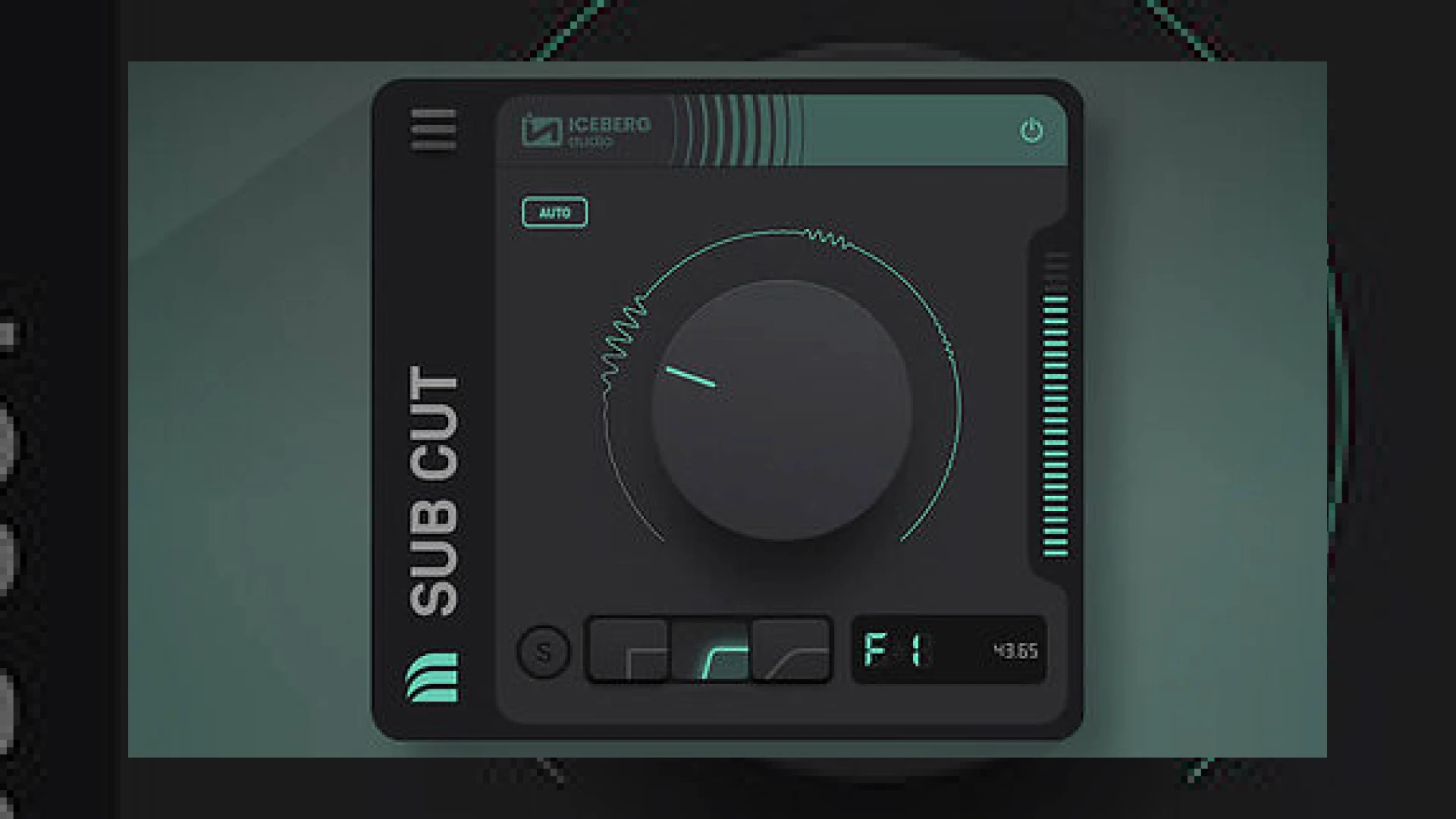
Visual context for Iceberg Audio release Sub Cut.
Low-frequency management is one of the most critical challenges in professional music production and mixing. When Dublin-based independent developer Iceberg Audio announced that **iceberg audio release sub cut**, the mixing and mastering community took notice. At SM Mastering, we put this minimalist yet powerful utility through rigorous testing in our signal chains. Below is our comprehensive technical review of how this tool handles low-end management compared to traditional equalization techniques.
Understanding the Technology Behind Iceberg Audio Release Sub Cut
Traditional high-pass filtering often relies purely on mathematical slopes, which can sometimes introduce phase shifting or rob a mix of its natural warmth. When considering the engineering goals behind **iceberg audio release sub cut**, the focus is entirely on musicality rather than sterile frequency chopping. The plug-in targets frequencies below 220Hz and offers three distinct filter slope options to tailor the transient response of your basslines, kick drums, and full stereo mixes.
Unlike standard EQs, the GUI displays the exact musical note corresponding to the cutoff frequency. This musical mapping allows engineers to cut sub-frequencies precisely in key with the composition. For additional insights on maintaining low-end clarity, refer to professional resources such as iZotope Mixing Guides. Furthermore, the built-in Auto mode features three distinct speed settings that dynamically track incoming audio, making **iceberg audio release sub cut** an adaptable solution for complex acoustic material.
Technical Specifications
| Parameter | Specification |
|---|---|
| Product Name | Iceberg Audio Sub Cut |
| Primary Use | Low-frequency cleanup and musical sub-bass control |
| Introductory Price | $35 (Regularly $49) |
| SM Mastering Rating | 4.5 / 5 |
Practical Studio Workflow Tips
Integrating **iceberg audio release sub cut** into your daily mixing sessions requires a strategic approach. Here are three expert workflows to maximize its efficiency:
* **Key Matching for Sub Control:** Use the note-display feature to match your filter cutoff to the root note of your track, preventing phase smearing in the low-end domain.
* **Dynamic Automation:** Utilize the Auto mode on live bass recordings or changing synth lines where low-frequency energy fluctuates unpredictably.
* **Master Bus Integration:** Insert the plug-in early in your master chain with a gentle slope to clean up subsonic rumble before sending audio to multibox compressors or limiters. For further reading on signal flow optimization, check out our insights at SM Mastering Audio Articles.
Conclusion
Overall, the recent **iceberg audio release sub cut** proves that minimalist plug-ins can deliver exceptional utility without cluttering your screen space. Its unique focus on musical pitch mapping makes it a valuable addition to both project studios and professional mastering suites.
Frequently Asked Questions
What platforms and formats are supported by Sub Cut?
The plug-in is fully compatible with PCs running Windows 10 and Macs running macOS 10.10 or higher, supporting both VST3 and AU formats.
Does Sub Cut require an internet connection for activation?
Yes, an active internet connection is required to activate the software upon initial installation.
Is there a trial version available?
Yes, Iceberg Audio provides a fully functional 14-day trial period so engineers can test the plug-in on their own sessions before purchasing.
🛒 Official Product Info & Where to Buy
Check full technical specs, pricing, and purchase options directly from the official manufacturer or authorized dealer for Iceberg Audio release Sub Cut.

Written by SM Mastering
Official content on sound engineering, mixing, mastering, and advanced electronic production by SM Mastering.