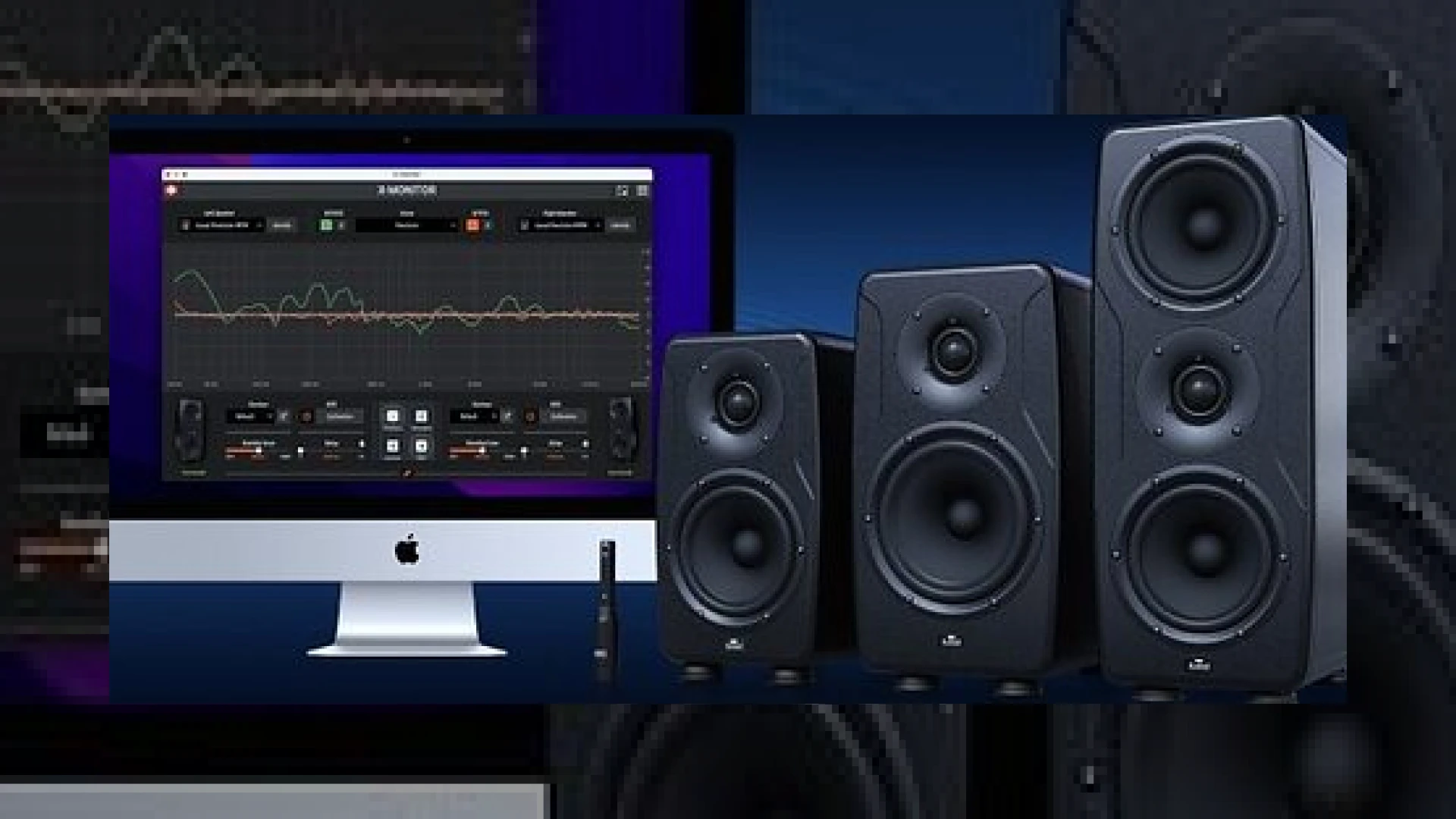
Visual context for IK Multimedia X-Monitor now available.
Here at SM Mastering, we constantly evaluate cutting-edge tools that promise to streamline the professional mixing and mastering workflow. That is why we are thrilled to report that ik multimedia x-monitor now available to the audio community. Serving as the dedicated software control companion for the acclaimed iLoud Precision studio monitor range, this application bridges the gap between hardware calibration and advanced virtual monitoring. For mix engineers looking to achieve optimal translation across multiple playback systems, understanding the full capabilities of this utility is essential.
Understanding How ik multimedia x-monitor now available Enhances Studio Workflows
The release of the X-Monitor software changes the game for precision acoustic tuning. Leveraging built-in ARC calibration technology, the software utilizes an included MEMS measurement microphone to analyze your room’s acoustic profile. When engineers ask us how to get the most out of their acoustic spaces, we often point them toward hardware integration tools like this, or recommend checking out processing resources from industry pioneers like Universal Audio for signal chain optimization. The step-by-step guidance offered by X-Monitor ensures that calibration is both accurate and repeatable, storing your preferred frequency responses directly onto the speaker’s onboard memory.
Advanced Emulation and Remote Control Features
One of the standout features that makes ik multimedia x-monitor now available such a powerful asset is its built-in monitor emulation engine. Rather than cluttering your mixing console with multiple sets of physical reference speakers, engineers can access over 20 legendary studio monitor emulations. This functionality mirrors the advanced processing workflows we frequently discuss in our SM Mastering Audio Articles. Furthermore, the software provides deep access to rear-panel controls, allowing you to instantly alter low-frequency extension, speaker delays, and mid-range contours from your sweet spot.
Technical Specifications
| Specification | Details |
|---|---|
| Name | IK Multimedia X-Monitor |
| Use | Software control, ARC calibration, and virtual monitor emulation for iLoud Precision |
| Price | Free download for registered iLoud Precision owners |
| Rating | 4.9 / 5.0 (SM Mastering Expert Scale) |
Practical Studio Workflow Tips
To maximize the utility of the software now that ik multimedia x-monitor now available, follow these expert studio practices:
- Run ARC Calibration Thoroughly: Ensure your MEMS microphone is securely mounted on a flat-tipped mic stand pointing directly upward at ear height during the multi-point measurement sweep.
- Leverage Emulations Last: Mix on your native iLoud Precision response first, then use the emulation presets near the final stages of your mix to check translation against classic nearfields.
- vSave Custom Contours: Utilize the Contour page to subtly tailor high and low-end responses to your personal taste, storing those profiles directly to the hardware for instant recall.
Conclusion
The arrival of this software solidifies IK Multimedia’s commitment to delivering high-end acoustic solutions for modern producers and mixing engineers. Because ik multimedia x-monitor now available as a complimentary download for users of the iLoud Precision series, it represents an immediate value upgrade that transforms how you reference, calibrate, and trust your monitoring environment.
Frequently Asked Questions
Is X-Monitor compatible with all IK Multimedia monitor models?
No, X-Monitor is specifically designed for use with the iLoud Precision range of studio monitors to control their advanced DSP, ARC calibration, and emulation features.
Do I need to keep the X-Monitor software running while I mix?
No. Once you have loaded your preferred calibration profile, contour settings, or speaker emulations onto the hardware, the settings are stored internally by the monitors. The software is only needed when you want to change settings or switch virtual monitors.
How many speaker emulations are included in the software?
The application currently provides access to over 20 legendary studio monitor emulations, allowing you to test your mixes on various virtual reference systems using a single pair of physical speakers.
🛒 Official Product Info & Where to Buy
Check full technical specs, pricing, and purchase options directly from the official manufacturer or authorized dealer for IK Multimedia X-Monitor now available.
Written by SM Mastering
Official content on sound engineering, mixing, mastering, and advanced electronic production by SM Mastering.