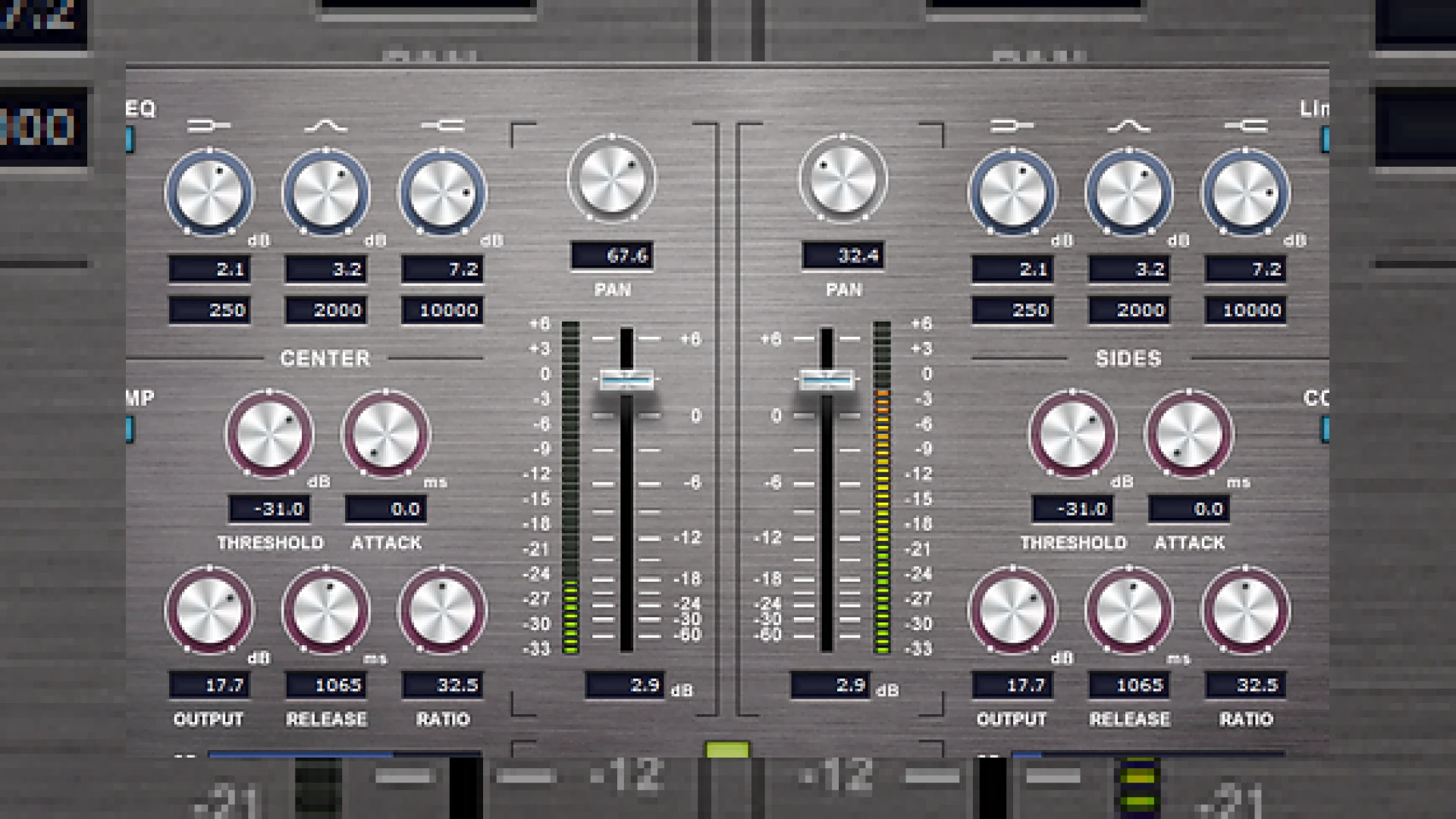
Visual context for Internet Co release free MS EQ COMP plug-in.
At SM Mastering, we are always on the lookout for tools that streamline both digital and hybrid mastering workflows. Recently, Japanese developers Internet Co., renowned for their acclaimed “Sound it!” editing software, made a significant wave in the freeware community. The internet co release free ms eq comp plug-in offers a highly capable Mid-Side (MS) processing tool for both Mac and Windows users, absolutely free of charge. This tool allows engineers of all levels to gain surgical control over their stereo field without spending a penny.
Inside the internet co release free ms eq comp plug-in
With the internet co release free ms eq comp plug-in, engineers can seamlessly encode a standard stereo (Left/Right) signal into its middle (M) and side (S) components. The software allows you to apply independent equalization and compression to both the mid and side channels, alongside volume and panning adjustments. If you are new to MS processing, it is an essential technique used by industry leaders like iZotope to clean up muddy low-ends or widen vocal spacing. By separating the center image from the wide elements, you gain precise control over your mix balance before mastering.
While testing the internet co release free ms eq comp plug-in in our mastering suite, we found it highly efficient for adjusting relative stereo width without introducing phase anomalies. Many are wondering how the internet co release free ms eq comp plug-in stacks up against premium commercial options. While it lacks advanced dynamic EQ features, its lightweight CPU footprint and intuitive interface make it an exceptional utility for daily studio use.
MS EQ COMP Specifications
To help you understand what this plug-in offers, we have compiled its core specifications in the table below:
| Specification | Details |
|---|---|
| Name | MS EQ COMP |
| Use | Mid-Side Equalization & Compression |
| Price | Free |
| Rating | 4.5 / 5 Stars |
| Format | VST (Mac and Windows) |
Practical Studio Workflow Tips for Mid-Side Processing
Integrating the internet co release free ms eq comp plug-in into your template will save you time during the early stages of a mixdown or mastering session. Here are some professional tips on how to maximize its potential in your workflow:
- Mono the Low End: Use the equalizer on the Mid channel to gently boost your sub-bass (around 50Hz) while using a high-pass filter on the Side channel to cut everything below 100Hz. This ensures your low-end remains tight and centered.
- Add Stereo Air: Apply a high-shelf boost on the Side channel EQ around 10kHz to 12kHz. This enhances the ambient “air” of your mix without making the lead vocals or snare too harsh.
- Glue the Center: Apply mild compression to the Mid channel to glue the lead vocals, kick, and bass together, while leaving the sides uncompressed to maintain wide dynamic range.
For more detailed guides on advanced spatial processing, check out our collection of expert guides at the SM Mastering Audio Articles hub.
Integrating the Plugin into Your Production Setup
For home studio producers, downloading the internet co release free ms eq comp plug-in provides a risk-free entry point into advanced spatial processing. Once processing is applied, the plug-in automatically decodes the MS signal back to standard Left/Right stereo so you can monitor your changes instantly. It represents a fantastic bridge between basic mixing and professional mastering control.
Conclusion
The internet co release free ms eq comp plug-in is an invaluable addition to any producer’s digital toolkit. By offering high-quality Mid-Side EQ and compression for free, Internet Co. has made advanced spatial control accessible to everyone. Download it today and start breathing new life into your stereo mixes.
Frequently Asked Questions
1. What is Mid-Side (MS) processing?
Mid-Side processing splits a stereo signal into two channels: the “Mid” channel (information in the center, mono) and the “Side” channel (information on the left and right edges). This allows you to EQ and compress center elements independently of wide stereo elements.
2. Can I use MS EQ COMP on a mono track?
No, MS EQ COMP is designed to process stereo signals. To utilize Mid-Side processing, the input source must have stereo information (different information on the left and right channels).
3. Which operating systems support the MS EQ COMP plug-in?
The plug-in is fully compatible with both macOS and Windows operating systems as a free VST download from the official Internet Co. website.
🛒 Official Product Info & Where to Buy
Check full technical specs, pricing, and purchase options directly from the official manufacturer or authorized dealer for Internet Co release free MS EQ COMP plug-in.

Written by SM Mastering
Official content on sound engineering, mixing, mastering, and advanced electronic production by SM Mastering.