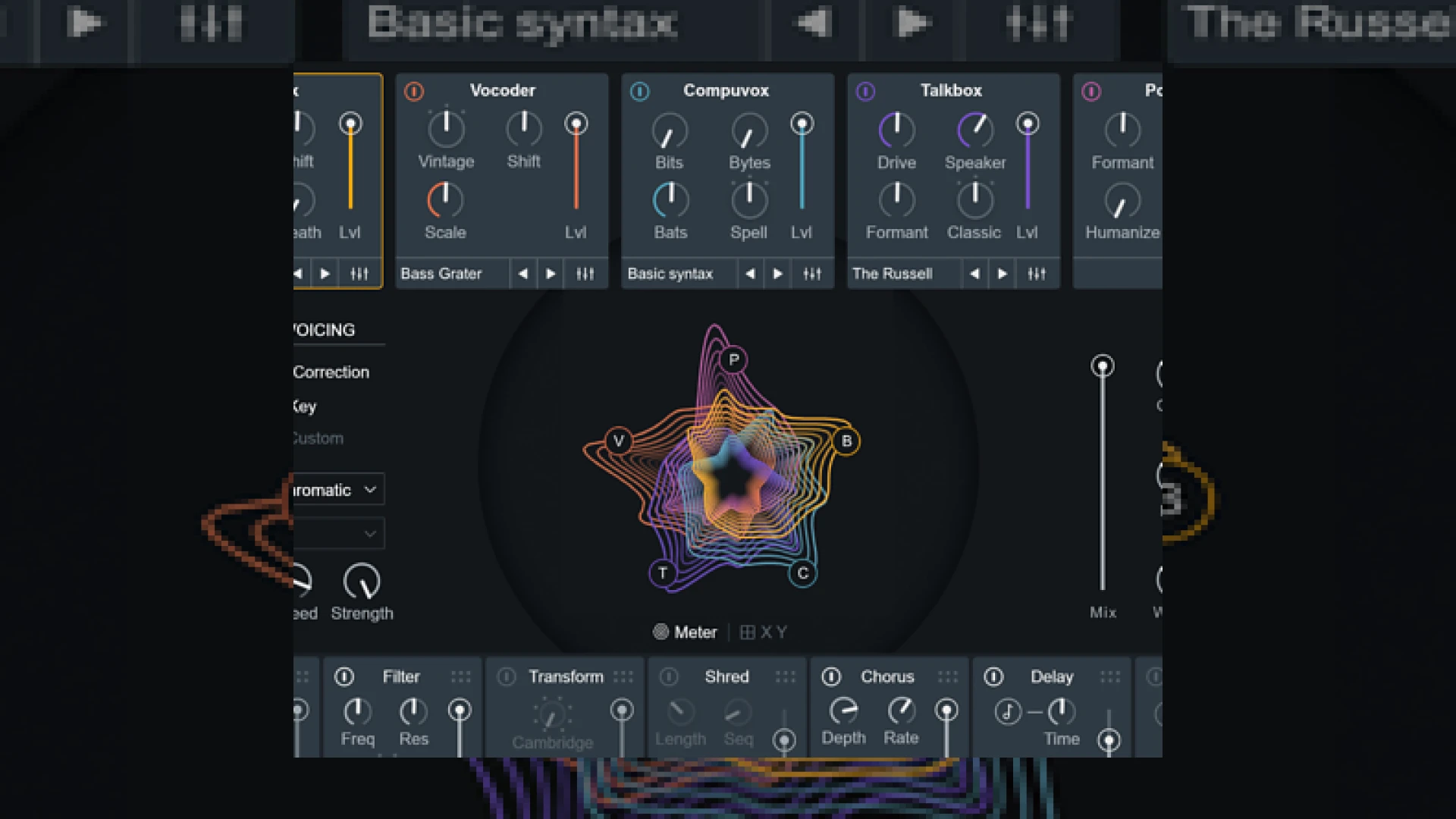
Visual context for iZotope announce VocalSynth 2 plug-in.
As industry pioneers iZotope announce VocalSynth 2 plug-in availability, music producers and mastering engineers are gearing up for a paradigm shift in vocal processing. Conceived as an all-in-one vocal processor and multi-effects system, the original VocalSynth covered everything from synthesized harmonies and subtle manipulation to full-on vocoding, glitching, and singing synth sounds. With version 2, the software has evolved into an even more powerful tool, boasting a completely redesigned GUI, creative new effects, and unprecedented control over vocal textures.
When developers like iZotope announce VocalSynth 2 plug-in details, the audio community closely examines the underlying technology. The crown jewel of this update is the brand-new Biovox module. Based on scientific modeling of the human vocal tract, Biovox allows you to alter biological vocal characteristics such as nasality, breathiness, vowel shapes, and formants. This module can be adjusted smoothly to shift vocal character and texture, and it runs in parallel with the four classic overhauled engines: Vocoder, Compuvox, Talkbox, and Polyvox.
Why the iZotope announce VocalSynth 2 plug-in Matters for Producers
The moment iZotope announce VocalSynth 2 plug-in systems to the public, the immediate focus turns to creative flexibility in the modern studio. Beyond the revamped vocal engines, version 2 introduces a highly requested feature: a customizable effects chain. Users can now drag and drop the various modules to reorder their effects sequence. Two brand-new effects—Chorus and Ring Mod (which doubles as a tremolo effect)—join the established Distort, Filter, Transform, Shred, and Delay modules to form an incredibly versatile vocal processor.
Additionally, when the engineering team at iZotope announce VocalSynth 2 plug-in integration with their broader software ecosystem, it highlights their focus on intelligent workflows. VocalSynth 2 communicates directly with other tools in your session. It seamlessly appears in Neutron 2’s Masking Meter and Visual Mixer, while multiple instances across your project can be monitored and controlled from the Tonal Balance Control plug-in. This inter-plugin communication is highly beneficial when preparing stems for our professional mastering services at SM Mastering Audio Articles.
VocalSynth 2 Specifications
| Name | Primary Use | Price | Rating |
|---|---|---|---|
| iZotope VocalSynth 2 | Vocal Effects, Vocoding, and Synthesizer Manipulation | $199 USD | 4.8 / 5 |
Practical Studio Workflow Tips
To get the most out of this powerful vocal processor in your daily mix sessions, consider implementing these technical workflow practices:
- Parallel Texture Blending: Use the new Biovox module in parallel with your dry vocal to add breathiness or adjust formants without losing the original performance’s clarity.
- Inter-Plugin Masking Control: Open Neutron 2 on your instrument bus and use the Masking Meter to visual-map frequency collisions between your VocalSynth 2 output and mid-range synthesizers.
- Custom Effects Routing: Experiment with placing the Shred or Delay module before the Ring Modulator to create complex, rhythmic stutter effects that react dynamically to the vocal input.
- Pre-Processing Cleanup: Before sending audio into VocalSynth 2, apply basic de-essing and high-pass filtering to ensure the synthesis tracking engines receive a clean, undistorted signal.
Conclusion
Ultimately, the decision to have iZotope announce VocalSynth 2 plug-in upgrades shows their commitment to creative flexibility and advanced DSP technology. By combining scientific physical modeling with a modular effects system and inter-plugin communication, version 2 is a must-have tool for any modern electronic, pop, or hip-hop producer looking to push the boundaries of vocal design.
Frequently Asked Questions
Does VocalSynth 2 support MIDI control?
Yes, VocalSynth 2 features a dedicated MIDI mode that allows you to play custom melodies and harmonies on your keyboard using your vocal track as the carrier signal.
What are the system requirements for running VocalSynth 2?
VocalSynth 2 runs on major DAWs supporting VST, VST3, AU, and AAX formats. It is compatible with both macOS and Windows operating systems, requiring modern multi-core processors for optimal DSP performance.
Can I use VocalSynth 2 as a standard insert effect?
Absolutely. You can use it as a traditional insert effect for auto-tuning, distortion, and creative filtering, or utilize its multi-module engine in Auto mode without requiring any MIDI input.
🛒 Official Product Info & Where to Buy
Check full technical specs, pricing, and purchase options directly from the official manufacturer or authorized dealer for iZotope announce VocalSynth 2 plug-in.

Written by SM Mastering
Official content on sound engineering, mixing, mastering, and advanced electronic production by SM Mastering.