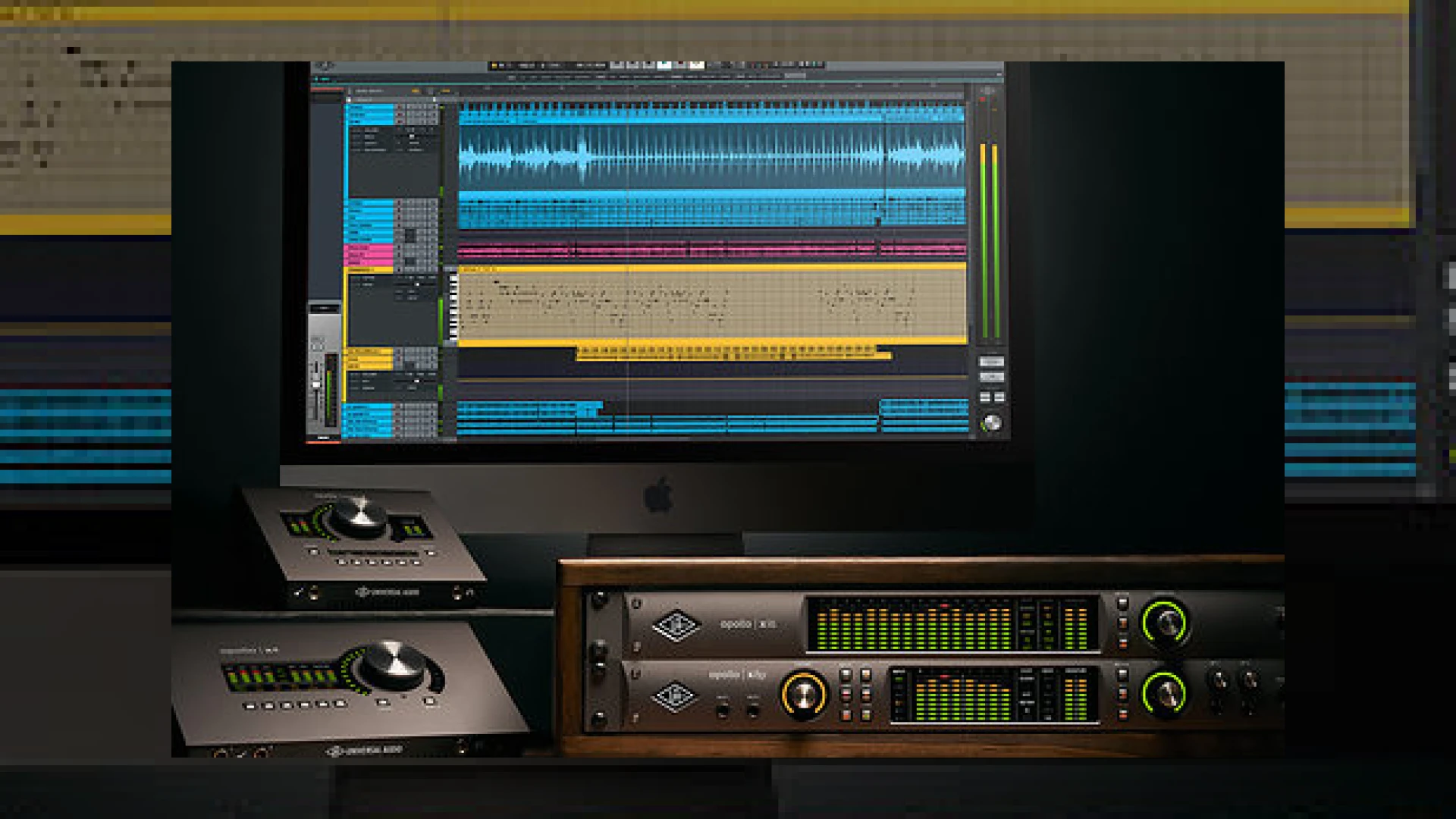
Visual context for LUNA for UAD interfaces goes live.
The pro audio landscape has experienced a major paradigm shift. For years, Apollo users have relied on the UAD Console software to route inputs, apply near-zero-latency DSP effects, and monitor their recordings. However, the ecosystem has evolved. Today, exciting news ripples through the music production world as luna for uad interfaces goes live. This release bridges the gap between hardware monitoring and full-fledged DAW capabilities, offering an integrated, hardware-accelerated recording system that runs natively on macOS.
With the official announcement that luna for uad interfaces goes live, Mac-based Apollo owners have immediate, free access to a recording application that handles tracking, editing, and mixing under one unified roof. Unlike standard digital audio workstations that require separate hardware buffer configurations, LUNA integrates deeply with the DSP processing inside Thunderbolt Apollo interfaces. This ensures a latency-free environment that mimics the workflow of classic analog consoles. To find more educational resources and deep-dives into modern recording technology, feel free to explore our collection of SM Mastering Audio Articles.
Deep Integration Details as LUNA for UAD Interfaces Goes Live
Now that luna for uad interfaces goes live, engineers can bypass traditional DAW latency completely without relying on external digital mixers. LUNA embeds high-fidelity console summing, tape emulation, and virtual instruments directly into its mixer fabric. Built-in Neve and Studer processing are integrated into the mixer channels, removing the need to manage dozens of separate plugin windows. By accessing these processing modules at the audio engine level, the sonic footprint of legendary gear is easily achieved.
As luna for uad interfaces goes live, it introduces a remarkably streamlined environment for virtual instrument performance. Included in the platform is “Shape”, a comprehensive sample-playback instrument, alongside premium options like the “Ravel” grand piano and a meticulously modeled Moog Minimoog. Because of the accelerated real-time monitoring features, performing with these virtual instruments feels incredibly responsive, eliminating the typical latency bottlenecks that plague standard computer-based setups.
System Overview & Specifications
Below is a breakdown of the core elements and instruments available within the LUNA Recording System layout:
| Name | Use | Price | Rating |
|---|---|---|---|
| LUNA Recording System | DAW & Hardware Control Center | Free (For Apollo/Arrow owners) | 4.8 / 5.0 |
| Shape Creative Toolkit | Sample Playback & Sound Design | Included Free | 4.5 / 5.0 |
| Ravel Grand Piano | Physical & Sample-based Piano Model | Optional Add-on | 4.7 / 5.0 |
| Minimoog Instrument | Synthesizer Emulation | Optional Add-on | 4.9 / 5.0 |
Practical Studio Workflow Tips for LUNA
- Utilize Accelerated Real-Time Monitoring: When tracking vocals or live instruments, turn on ARM (Accelerated Real-Time Monitoring). This completely bypasses your computer’s native audio buffer and utilizes your Apollo’s onboard DSP for latency-free monitoring with plugins.
- Keep Neve Summing Active: Instead of loading separate bus-processing plugins on your master fader, utilize the integrated Neve console summing on your main busses to add cohesive analog warmth and headroom dynamically.
- Experiment with Varispeed: LUNA includes dedicated tape-style varispeed controls. Use this tool creatively during production to slow down or speed up playback, altering both pitch and timbre for unique sound design textures.
Conclusion
Ultimately, when luna for uad interfaces goes live globally, it establishes a new benchmark for hybrid analog-digital workflows. It eliminates the traditional disconnect between hardware console applications and production software. By placing master-grade tape emulation, legendary console summing, and low-latency tracking into a single sleek application, Universal Audio has delivered a game-changer for project studios and world-class commercial facilities alike. To download the software, check system compatibility, or purchase additional extension packages, visit Universal Audio.
Frequently Asked Questions
Is LUNA a free upgrade for all Apollo interface owners?
Yes, LUNA is free to download for anyone who owns a Thunderbolt-equipped Universal Audio Apollo or Arrow audio interface on macOS. USB and FireWire models are currently not supported.
Can I run third-party AU plugins inside LUNA?
Absolutely. LUNA supports standard Audio Unit (AU) plugins alongside native UAD-2 and LUNA Extension processors, ensuring your existing software library remains fully usable.
Does LUNA require a continuous internet connection to work?
LUNA requires an active internet connection or a physical iLok USB key for system license authorization, but it can be operated offline once the licenses are properly configured on your machine.
🛒 Official Product Info & Where to Buy
Check full technical specs, pricing, and purchase options directly from the official manufacturer or authorized dealer for LUNA for UAD interfaces goes live.

Written by SM Mastering
Official content on sound engineering, mixing, mastering, and advanced electronic production by SM Mastering.