Visual context for SoundGhost release Texturize.
When modern mixing engineers look to inject life, movement, and analog character into sterile digital tracks, creative transient shapers and noise layers often provide the ultimate solution. Recognizing this demand, the industry has closely monitored the latest developments in hybrid processing, especially now that developers like SoundGhost are expanding beyond traditional sample libraries into software design.
As a leading facility for professional audio engineering, our team at SM Mastering Audio Articles has spent extensive time evaluating how creative processing tools integrate into high-end signal chains. In this technical review, we analyze how the recent **soundghost release texturize** plugin impacts modern electronic music production, sound design, and mixing workflows.
Understanding the Architecture Behind the soundghost release texturize Plugin
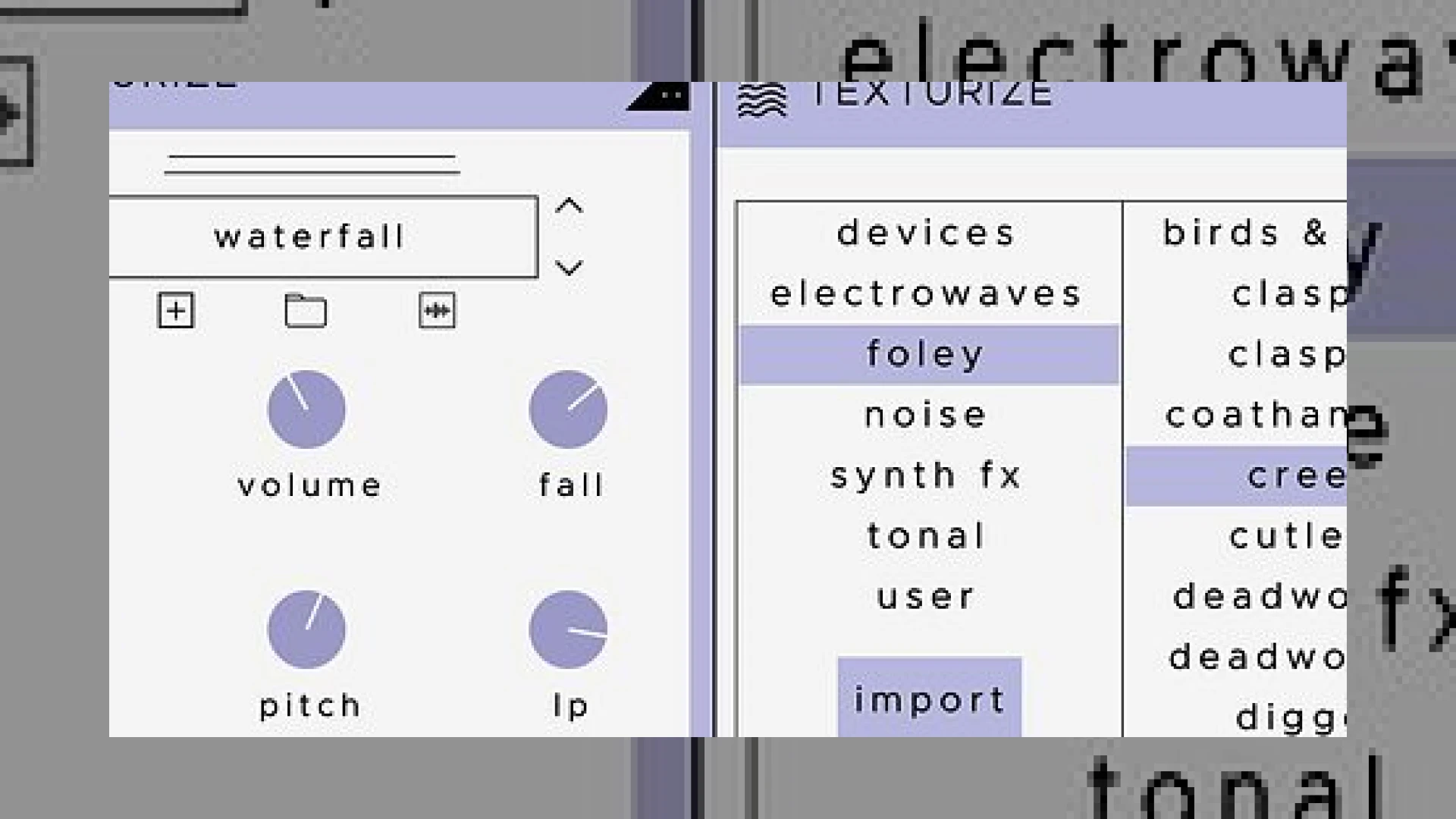
At its core, Texturize is engineered as a reactive noise enhancer utilizing an advanced envelope follower. This processor works by tracking the amplitude dynamics of an incoming audio signal and using that data to trigger and shape abstract noise layers. Whether you are processing punchy drum loops, sustained synth pads, or dynamic vocals, the plugin reacts transparently to transient information.
The user interface follows a modern, streamlined philosophy, housing six primary controls beneath a dynamic sample display window. The inclusion of dedicated Rise and Fall parameters gives engineers precise command over the envelope follower’s attack and release times, ensuring that layered textures breathe naturally with the underlying source material. Furthermore, a built-in pitch shifter allows for semitone adjustments, helping layered textures sit harmoniously in the musical key of the track.
Key Specifications and Studio Integration
To understand how this tool compares to standard modular noise generators or utility plugins often recommended by industry giants like iZotope, we can look at its core operational parameters and factory library specifications.
| Specification Parameter | Details |
|---|---|
| Product Name | Texturize |
| Primary Use | Reactive Noise Enhancer & Envelope Follower |
| Standard Price | Affordable Tier (Check Developer Store) |
| Engineering Rating | 4.8 / 5.0 (for creative sound design utility) |
The factory library ships with over 200 diverse source samples ranging from gritty abstract electronics to organic foley recordings. Crucially, the engine is not limited to factory presets; producers can drag and drop custom audio files in WAV, MP3, AIFF, FLAC, and OGG formats directly into the interface, shaping them with built-in 24dB high-pass and low-pass filters.
Practical Studio Workflow Tips
Integrating this processor into your mixing sessions requires a balanced hand to avoid cluttering the frequency spectrum. Here are three expert tips for utilizing the **soundghost release texturize** workflow in your studio:
* **Subtle Drum Enhancement:** Insert the plugin on a snappy snare or bus channel. Use a fast Rise time and a short Fall time paired with a vinyl or tape hiss sample to add organic density without washing out the transient snap.
* **Synth Pad Movement:** Apply a subtle foley or analog texture to static wavetable pads. Adjust the high-pass and low-pass filters to isolate the noise layer strictly to the mid-high frequencies, leaving valuable headroom for sub-bass elements.
* **Custom Foley Layering:** Import your own field recordings—such as rain, machinery, or vinyl crackle—to give clean digital synth leads an immediate sense of physical space and realism.
Conclusion
The **soundghost release texturize** plugin successfully bridges the gap between static sample libraries and dynamic, reactive audio processing. By combining an intuitive envelope follower with robust filtering and custom sample import features, it offers both mixing and sound design engineers a fast, highly musical way to introduce grit, atmosphere, and organic motion into any track.
Frequently Asked Questions
What plugin formats are supported by Texturize?
The plugin is natively available in both AU and VST3 formats, ensuring broad compatibility across major Digital Audio Workstations on macOS and Windows operating systems.
Can I use my own audio samples inside the plugin?
Yes. The plugin features an advanced file browser and waveform editor that fully supports user imports in WAV, MP3, AIFF, FLAC, and OGG formats, allowing you to save custom patches for future sessions.
How does the envelope follower work?
The internal envelope follower listens to the amplitude dynamics of your input audio signal, automatically triggering the playback of the selected noise layer to match the rhythm and groove of your source track.
🛒 Official Product Info & Where to Buy
Check full technical specs, pricing, and purchase options directly from the official manufacturer or authorized dealer for SoundGhost release Texturize.

Written by SM Mastering
Official content on sound engineering, mixing, mastering, and advanced electronic production by SM Mastering.