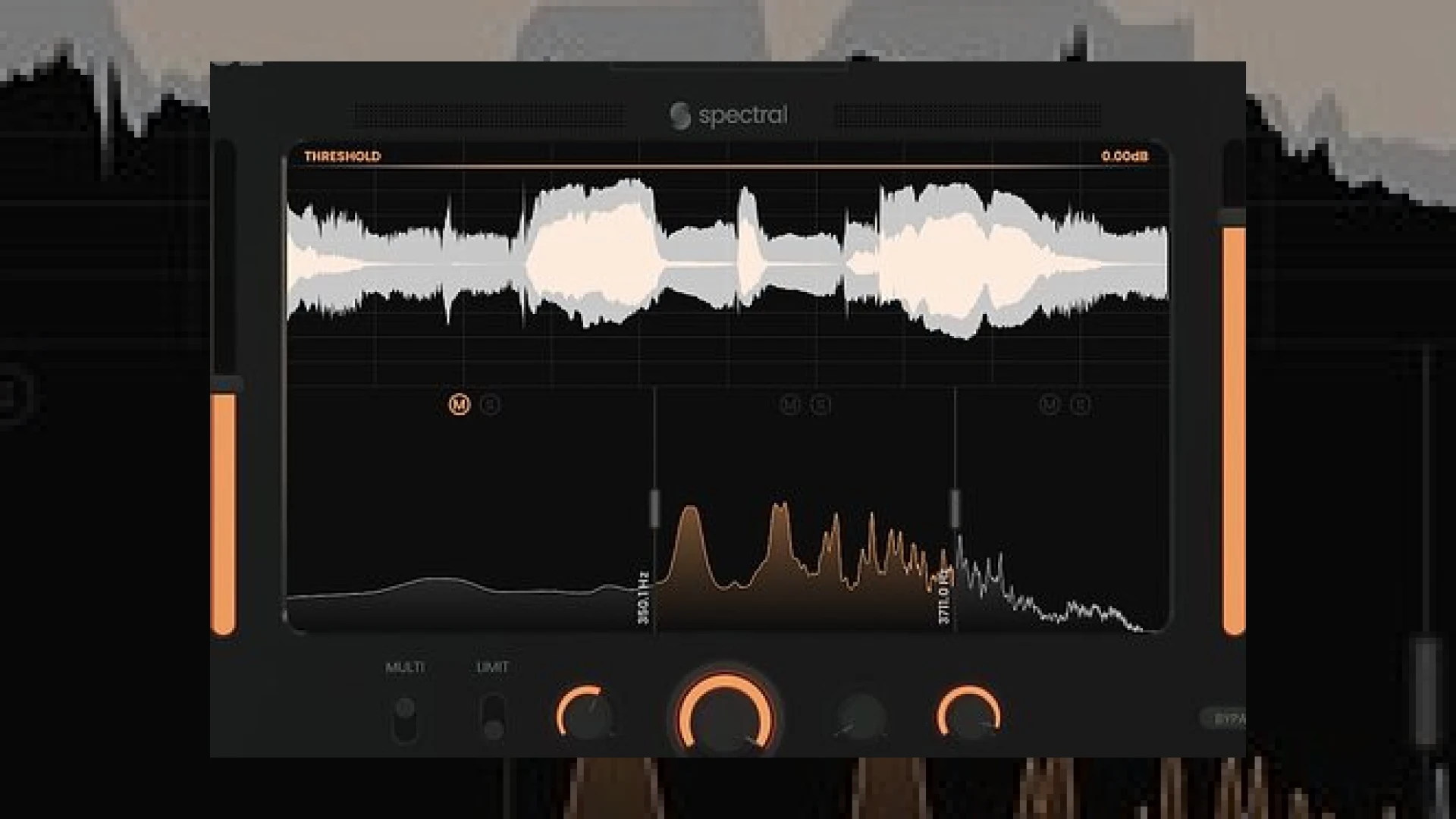
Visual context for Spectral Plugins release Pancz.
When it comes to modern mixing and mastering workflows, transient shaping and dynamic control are the cornerstones of achieving punchy, professional mixes. Recognizing this demand, the recent news about **spectral plugins release pancz** has generated significant buzz throughout the pro audio community. At SM Mastering, we are constantly evaluating tools that push the boundaries of signal processing, and this innovative multiband transient shaper and clipper deserves a close technical look.
## Understanding the Technology Behind Spectral Plugins Release Pancz
The core architecture of this processor revolves around a centralized, high-resolution waveform display flanked by dedicated Transient and Tail sliders. As engineers working in high-end environments, we know that visual feedback is just as crucial as auditory cues. The interface provides real-time graphic updates, allowing for precise control over the attack and decay phases of any audio material.
Furthermore, engineers looking to integrate industry-standard tools often reference resources like iZotope for mixing standards, but modern specialty processors like this one bring a fresh approach to multiband manipulation. When **spectral plugins release pancz**, producers gain access to a tool that goes far beyond standard envelope shaping. By utilizing the built-in Multi switch, users can split the incoming audio stream into three distinct frequency bands. This level of granular control is essential when dealing with complex material like a live drum bus or a dense master track, ensuring that low-end weight is preserved while high-end transients are cleanly accentuated.
## Advanced Studio Workflow Tips
To get the most out of the software following the **spectral plugins release pancz** announcement, follow these practical steps in your mixing session:
* **Multiband Isolation:** Use the solo and mute functions on each of the three frequency bands. Dial in your crossover points carefully by dragging the vertical separation lines to isolate troublesome boxy frequencies or unruly high-end harshness.
* **Mastering Limit and Clip:** Utilize the horizontal threshold line on the waveform display to engage the built-in limiter. Switch between the transparent *Limit* mode for safety catching, and the *Soft Clip* mode to introduce musical harmonic saturation.
* **Parallel Processing:** Leverage the NYC control to blend in parallel compression internally, saving you valuable routing time in your DAW. Enhance the top-end further using the global Presence and Air EQ controls.
For deeper insights into professional mixing methodologies, make sure to explore our comprehensive guides available at SM Mastering Audio Articles.
## Specifications Table
| Feature | Detail |
| :— | :— |
| **Name** | Pancz |
| **Use** | Multiband Transient Shaper, Clipper, and Tone Shaper |
| **Price** | Varies by retailer / introductory promotions |
| **Rating** | 4.8 / 5 |
## Conclusion
The excitement surrounding the **spectral plugins release pancz** is entirely justified. By combining multiband transient shaping, clipping, waveform analysis, and global tone control into a single intuitive interface, it streamlines workflows for both mixing and mastering engineers. Whether you are aiming to inject aggressive punch into a rock mix or subtle clarity into an acoustic master, mastering this tool will undoubtedly elevate your audio productions.
## Frequently Asked Questions
### What makes the recent spectral plugins release pancz unique compared to traditional transient shapers?
Unlike traditional single-band transient shapers, this processor features a three-band multiband architecture combined with a built-in soft clipper, limiter, and visual waveform analyser, offering unprecedented control over specific frequency ranges.
### Can I use Pancz on a master bus during the mastering stage?
Yes. Thanks to its transparent limiting modes, global Presence and Air EQ controls, and precise level matching via input and output gain meters, it is well-suited for subtle or aggressive master bus processing.
### How do I adjust the crossover frequencies in the plugin?
You can easily set and modify the crossover frequencies by clicking and dragging the vertical lines that separate the three bands directly underneath the main waveform display.
🛒 Official Product Info & Where to Buy
Check full technical specs, pricing, and purchase options directly from the official manufacturer or authorized dealer for Spectral Plugins release Pancz.

Written by SM Mastering
Official content on sound engineering, mixing, mastering, and advanced electronic production by SM Mastering.