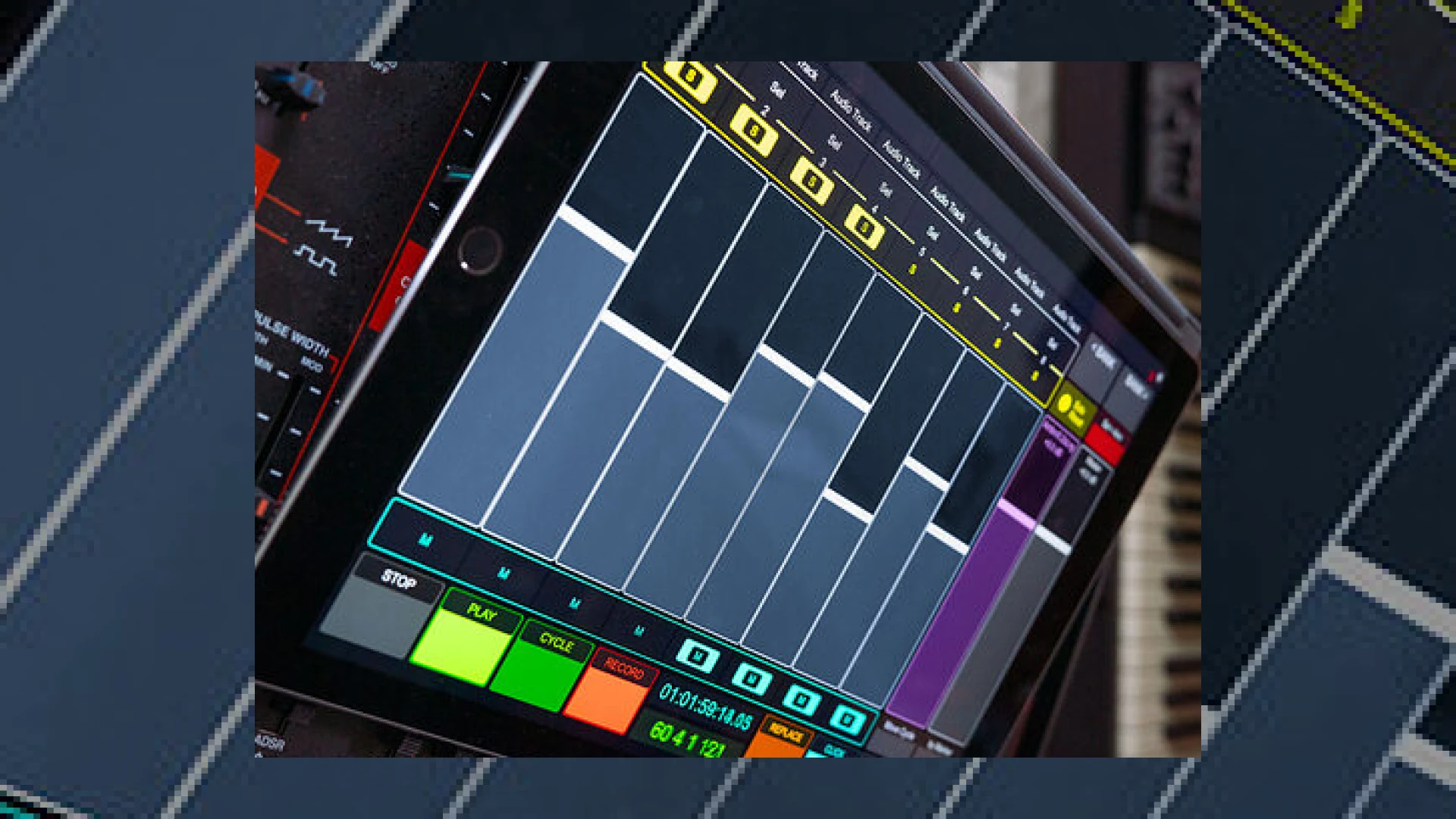
Visual context for TouchOSC preset for Spitfire BBC SO released.
The evolution of modern MIDI orchestration has always been driven by the quest for more intuitive control. Back in 2007, the Open Sound Control (OSC) protocol made its first massive splash with the legendary Jazzmutant Lemur. This hardware device changed how composers interacted with their digital audio workstations long before the iPad was even conceived. While tablet computers eventually made dedicated hardware units like the Lemur obsolete, the underlying technology lives on through Hexler’s TouchOSC app. In an exciting development for media composers, the official TouchOSC preset for Spitfire BBC SO released to the public, bridging the gap between tactile hardware control and Spitfire Audio’s flagship orchestral library.
For professional composers and mixing engineers, manipulating complex symphonic articulations via key-switches or mouse clicks can disrupt the creative flow. This newly developed preset aims to solve that problem entirely. By utilizing the flexible screen real estate of your iOS or Android tablet, the template transforms your device into a customized physical console, specifically mapped to the parameters of the Spitfire BBC Symphony Orchestra. Whether you are riding volume faders, blending microphone positions, or switching playing styles on the fly, this control surface brings dynamic human expression back into your virtual mockups.
How the TouchOSC preset for Spitfire BBC SO released Impacts Your Template
Now that the TouchOSC preset for Spitfire BBC SO released is accessible to download, composers can easily manipulate the global parameters of their templates. The interface maps seamlessly to BBC SO’s essential parameters. Instead of manually assigning CC lanes in your DAW, you can now use physical multi-touch sliders to adjust dynamics, expression, vibrato, and tightness. This level of immediate physical feedback is essential for creating lifelike mockups that rival real acoustic performances.
Prior to having this TouchOSC preset for Spitfire BBC SO released, orchestrators spent hours assigning custom MIDI CC layouts. This layout offers native, pre-mapped access to various articulation states, from staccatissimo to legatos. Furthermore, the microphone mixing page on the tablet matches the visual layout of the Spitfire plugin interface, letting you blend Close, Tree, Ambient, and Outrigger signals with simple finger gestures. This approach is highly efficient during both the composing phase and the pre-mix stage.
When tracking orchestral sections, pairing this layout with low-latency DSP systems like those from Universal Audio delivers professional-grade monitoring and seamless performance. Having such a robust controller layout simplifies the entire tracking workflow, leaving more room for creative decision-making.
Preset Specifications and Overview
To help you understand the capabilities of this new integration, we have summarized the core specifications of the preset package below:
| Name | Use | Price | Rating |
|---|---|---|---|
| TouchOSC BBC SO Preset | Orchestral Control Surface & Articulation Switcher | Free (Requires TouchOSC) | 4.8 / 5 |
Practical Studio Workflow Tips
Integrating a new touch interface into your production setup requires some adjustment. Here are three expert tips to help you get the most out of this new controller layout:
- Optimize Your Connection: While TouchOSC operates wonderfully over Wi-Fi, using a wired USB connection between your tablet and your DAW computer significantly reduces latency. This ensures your expression and dynamic rides feel completely instantaneous.
- Utilize the Microphone Mixer: Use the multi-touch page to ride your microphone faders in real-time during your arrangements. Pulling down the close mics and raising the tree/ambient faders during quiet passages can instantly create a sense of depth and realism.
- Group Your Tracks: In your DAW, ensure your track selection follows your control surface focus. This allows the TouchOSC preset to automatically update its display depending on whether you are working on the Violins, Brass, or Woodwinds.
Conclusion
With the TouchOSC preset for Spitfire BBC SO released, you can dynamically adjust your virtual orchestration workflow to be faster, more tactile, and highly expressive. Removing the barrier between your physical hands and your digital instruments is key to achieving a truly organic sound. For more expert advice on optimizing your mix headroom and mastering preparation, explore our library of SM Mastering Audio Articles.
Frequently Asked Questions
What are the system requirements for using this TouchOSC template?
To use this template, you will need an active installation of Hexler TouchOSC on an iOS (iPad/iPhone) or Android device, along with the TouchOSC Bridge utility installed on your host computer (Mac or Windows) to route MIDI data to your DAW.
Is this control template compatible with both the Discover and Professional editions of BBC SO?
Yes, while it is designed with the expanded parameters of the Professional edition in mind (such as the extensive microphone configurations), it can easily be adapted and used with both the Core and Discover versions of the Spitfire BBC Symphony Orchestra library.
Why is the TouchOSC preset for Spitfire BBC SO released layout such a big deal for orchestrators?
This layout is a game-changer because it eliminates the tedious task of manually mapping MIDI CC channels for dynamic expressions and articulation switches. It consolidates all vital orchestral controls onto a single, intuitive multi-touch screen, saving hours of preparation time during template setup.
🛒 Official Product Info & Where to Buy
Check full technical specs, pricing, and purchase options directly from the official manufacturer or authorized dealer for TouchOSC preset for Spitfire BBC SO released.

Written by SM Mastering
Official content on sound engineering, mixing, mastering, and advanced electronic production by SM Mastering.