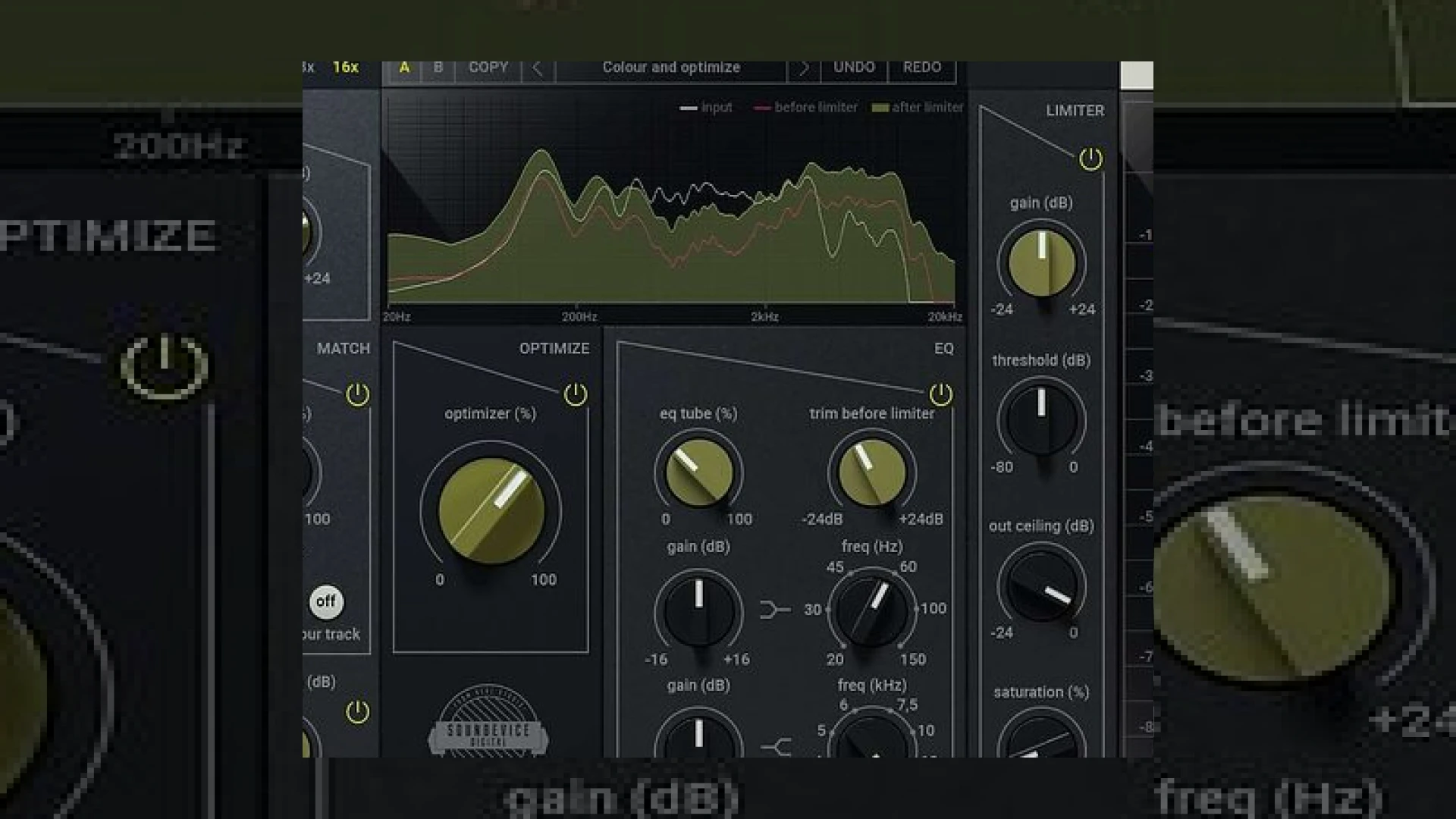
Visual context for United Plugins release Mastermind.
When it comes to streamlining the final stages of audio post-production, having an efficient and reliable toolchain is essential. Recently, industry developments have drawn significant attention, especially as **united plugins release mastermind**, a versatile all-in-one mastering processor developed in collaboration with SounDevice Digital. Here at SM Mastering, we put this new release through rigorous testing in our acoustic environments to see how it compares to industry standards set by developers like iZotope.
Deep Dive: Why United Plugins Release Mastermind Matters
The core philosophy behind why **united plugins release mastermind** has captured the audio community’s interest lies in its hybrid approach of automated intelligence and hands-on control. Modern mixing and mastering engineers often look for ways to speed up their workflow without sacrificing sonic integrity. Professional platforms such as SM Mastering Audio Articles regularly discuss how automated tools fit into traditional hardware and software chains.
The software is heavily centered around two primary intelligent workflows:
* **The Match Section:** This function analyzes your target reference track alongside your live mix bus, generating a custom EQ curve. Engineers can dial this in using the Match knob, though the developers smartly recommend subtle adjustments between 20% and 30% to maintain natural transient responses.
* **The Optimize Section:** Driven by deep algorithmic research compiled by SounDevice Digital from commercially released tracks, a single macro control enhances the overall perceived weight, harmonic richness, and psychoacoustic width of the mix.
In addition to these modern features, producers examining why **united plugins release mastermind** is generating buzz will appreciate its inclusion of traditional tone-shaping tools. It features dedicated low-shelf filters (ranging from 20 Hz to 150 Hz) and high-shelf filters (ranging from 3 kHz to 16 kHz) for classic analog-style sweetening.
Mastermind Specifications
| Specification | Details |
|---|---|
| Name | Mastermind |
| Primary Use | All-in-one mastering, EQ matching, and track optimization |
| Price | Check official website for introductory offers |
| Rating | 4.8 / 5 (SM Mastering Evaluation) |
Practical Studio Workflow Tips
To get the absolute best results now that **united plugins release mastermind** is available to the public, follow these professional mixing and mastering practices:
1. **Calibrate Your Monitoring:** Before engaging any reference-matching algorithms, ensure your studio monitors or headphones are calibrated properly so you aren’t fighting room anomalies.
2. **Use High-Quality References:** When feeding an external reference track into the Match section, make sure it is an uncompressed WAV or FLAC file of a commercially mastered song in a similar genre.
3. **Subtlety is Key:** Automated matching curves can sometimes overcompensate. Start with a low percentage on the match knob and slowly blend it in to taste.
Conclusion
Ultimately, the fact that **united plugins release mastermind** gives producers another robust option for quick, high-quality final mixes is a win for the community. While no plug-in can completely replace a seasoned mastering engineer’s critical listening skills, tools like Mastermind significantly shorten the distance from a rough mix to a release-ready track.
Frequently Asked Questions
Is Mastermind suitable for complete beginners in mastering?
Yes, the intuitive single-knob Optimize feature and visual EQ matching make it very user-friendly for producers who are new to mastering their own music.
Can I use Mastermind on individual instrument tracks or just the stereo bus?
While primarily designed as a stereo bus mastering processor, creative mixing engineers can certainly deploy it on sub-mixes like drum busses or vocal stems for unique tonal character.
What formats are supported by this plug-in?
Like most modern releases from this manufacturer, it supports major DAW formats including VST, VST3, AU, and AAX on both macOS and Windows systems.
🛒 Official Product Info & Where to Buy
Check full technical specs, pricing, and purchase options directly from the official manufacturer or authorized dealer for United Plugins release Mastermind.

Written by SM Mastering
Official content on sound engineering, mixing, mastering, and advanced electronic production by SM Mastering.